
Application Objects
Opening an application presents a navigation panel grouping every object type it can contain. This page is a map of that panel - one entry per object, linking to where it's documented.
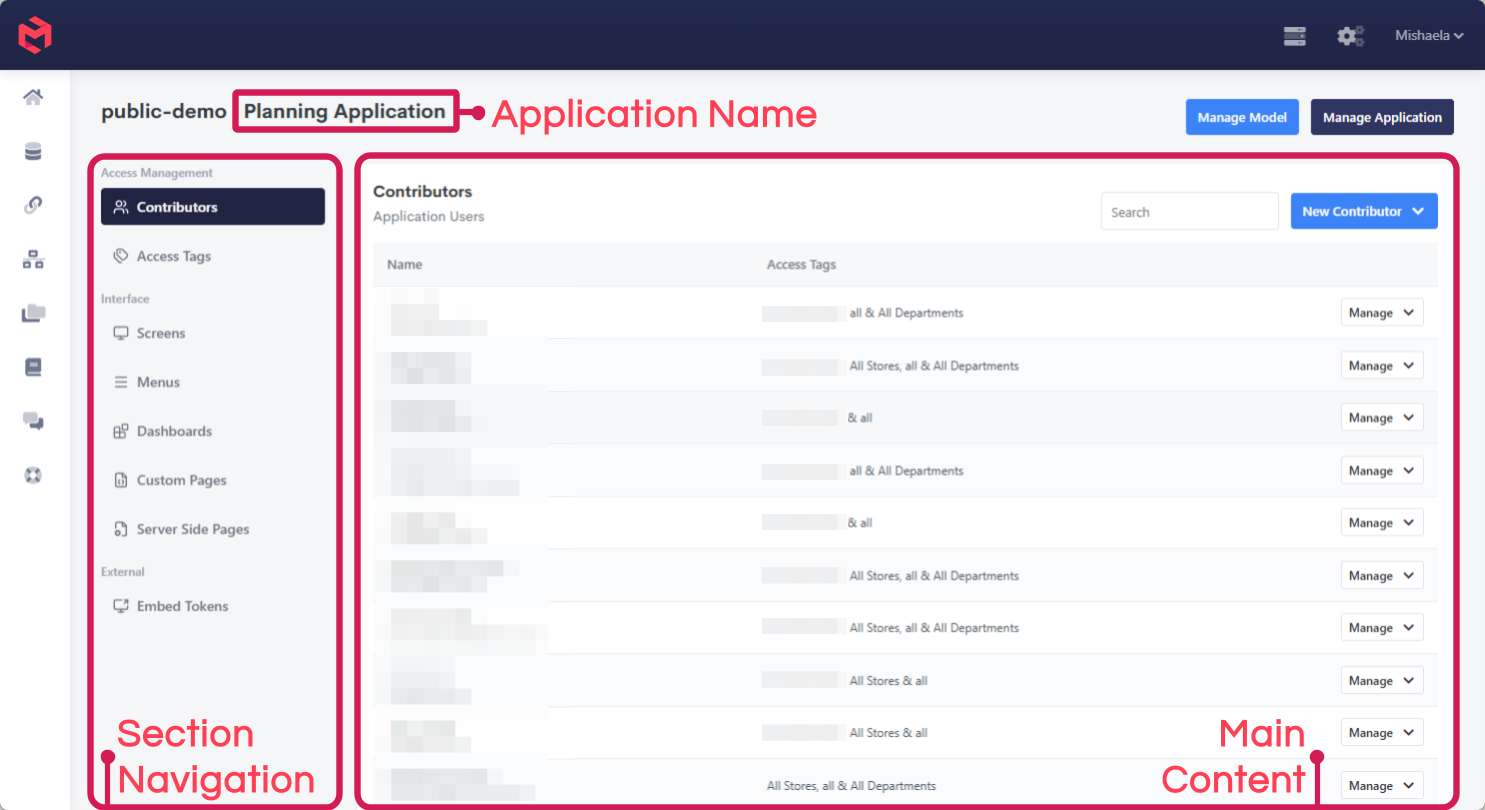
For the equivalent map of a model, see Model Objects. For how applications sit beneath a model and instance, see MODLR Architecture.
Content
What a user actually looks at. A Screen doesn't own its content - it displays content defined elsewhere, either at the model level (Cards and Workviews) or at the application level (Dashboards and Custom Pages).
| Object | Description | Documentation |
|---|---|---|
| Screens | The web pages an application serves, each at its own route. A screen is a header, its content, and a footer. One screen per application can be flagged as the initial landing page. | Screens |
| Dashboards | Built within the application from its own set of widgets, including Cards and Workviews. Added to a screen as content, and the way to put several things on one screen. | Dashboards, Cards in Dashboards |
| Custom Pages | Pages built with HTML, CSS and JavaScript, for interfaces the standard objects can't express. Also usable as a screen's header or footer. | Custom Pages |
| Server-Side Pages | JavaScript that runs on the server rather than in the browser, with access to process functions. Not displayed directly - called from a client-side custom page to run secure logic. | Server-side Pages, Available Functions |
Content originating in the model - Cards and Workviews - is added to screens the same way, but is built and maintained in the Model Workspace rather than here.
Navigation
| Object | Description | Documentation |
|---|---|---|
| Menus | Fixed navigation, built from Screens, custom links and helper links, and attached to a screen as its header or footer. Supports two levels, the second rendering as a dropdown. | Menus |
A Menu isn't the only way between screens. Links on Cards, and the Link To Another Workview Using Formula set instruction, both navigate from within a screen's content - passing the clicked element through as a query string argument, so the destination scopes itself to it. See Navigating between screens.
Configuration
| Object | Description | Documentation |
|---|---|---|
| External Assets | Third-party JavaScript and CSS libraries included in the application, for Custom Pages to use. | External Assets below |
External Assets
Custom Pages are built with ordinary HTML, CSS and JavaScript, but can't pull in arbitrary third-party libraries at will - MODLR's security controls restrict what a page may load. External Assets is the sanctioned route: libraries are registered once against the application, and are then available to the custom pages within it.
They're managed from the application's Manage page. Each asset is added with four fields:
| Field | Description |
|---|---|
| Type | JavaScript or CSS. |
| Name | A label identifying the asset in the list, e.g. dataTables. |
| URL | Where the file is fetched from, typically a CDN. |
| Integrity | An optional Subresource Integrity hash, e.g. sha256-.... |
A library shipping both script and stylesheet needs two entries - one of each Type - since an asset is either JavaScript or CSS, not both. A typical set is dataTables (JavaScript), dataTables CSS (CSS) and jqueryui (JavaScript).
Use the Integrity hash where the CDN publishes one
An integrity hash is the browser's check that the file it fetched is the file you registered: if the delivered bytes don't match the hash, the browser refuses to run it. That matters for a resource loaded from a third-party host, where a compromised or swapped file would otherwise execute with the same access as your own code. Most CDNs publish the hash alongside the URL - the field is optional, but worth populating whenever one is available.
Access
Two separate layers decide who reaches an application and what they can do inside it.
| Object | Description | Documentation |
|---|---|---|
| Contributors | The users who can access the application, and the Access Tags allocated to each of them. | Contributors, Adding Collaborators |
| Access Tags | Specify what a user can access. Scoped to either screen access or element access, though element-level access is now better handled by Instance Security. | Access Tags and Application Security, Screen Access Tags, Element Access Tags |
Access tags aren't the whole story
An Access Tag decides whether a user can open a screen. What they can then see and do on it is governed by Instance Security, against the cubes, dimensions and elements the screen is built from. A user can hold a tag for a screen and still find parts of it blank. See Screen access vs. Instance security.
Distribution
Ways of getting an application's content to people beyond the standard web front end.
| Object | Description | Documentation |
|---|---|---|
| Embed Tokens | A URL giving public or password-protected access to a single screen without a MODLR login. Access within the embed can be scoped to element level. | Embed Tokens |
| Excel Add-in | Connects Excel to the application, giving access to Cards, Workviews and individual cells via cubeGet, with screen access and model security still applying. | Excel Add-in, Cards in Excel, Live Workview |
| PowerPoint Add-in | Connects PowerPoint to the application, limited to Cards. | PowerPoint Add-in, Cards |
Related
- About Applications - what an application is and who reaches it
- Creating an Application - creating an application in the first place
- Model Objects - the equivalent map for a model
- User Interfaces - the surfaces an application is served through