
How to remove unused data from a cube
Data that no longer needs to be stored in MODLR can be removed either by wiping the cells, or by permanently removing the populated element from the dimension.
Removing the element from the dimension
In the scenario dimension below, any data stored against the Budget scenario can be removed from the model by completing the following steps:
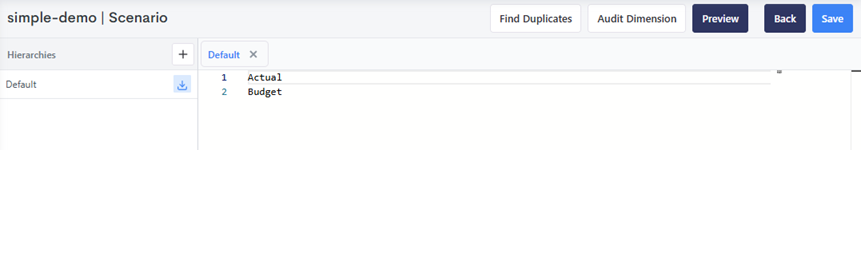
- Remove the element from the hierarchy and click "Save".
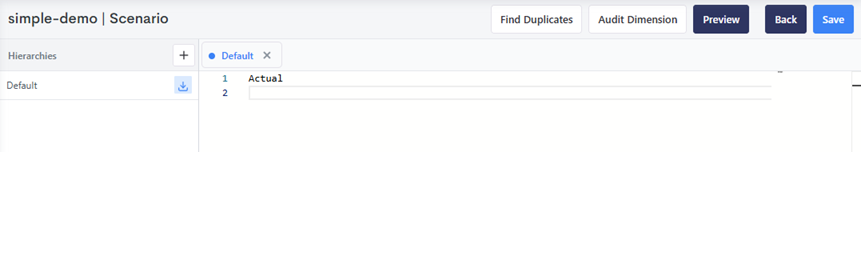
- Click Audit Dimension.
INFO
If the element is contained in any hierarchies, it will not appear when auditing the dimension. Audit Dimension shows any elements that do not exist in hierarchies within the dimension - these are called orphaned elements. The same check is available from a Process via dimension.audit. :::
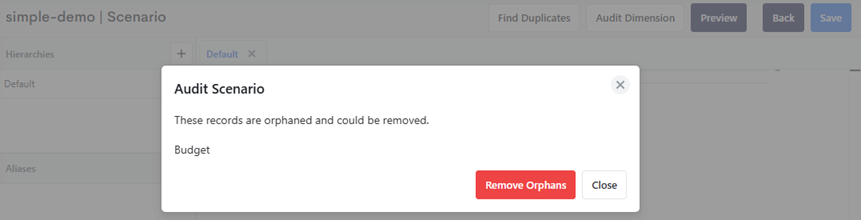
- Click Remove Orphans.
- Restart the server. This is required to clear the cell paths/locations from memory.
WARNING
Removing the element (step 3, or element.delete from a Process) takes it out of the dimension straight away, but its old values stay in memory until the cube is next loaded from disk. The restart in step 4 is what clears them.
Until then, the removal can be undone by creating an element with the same name again, which brings its old values back with it. The data is only dropped if the element still doesn't exist when the server restarts.
Only restart once you're sure the removal was correct.
Wiping the cells
If a cell is not fed by a formula, it can be wiped by:
- Setting the value in a number cell to
0or empty string - Setting the value in a string cell to empty string
- Using the cube.wipe process function
- Using the dataspreading /clear