
Cards Guide
MODLR's Card feature is an innovative reporting technology that empowers users to create customized, interactive reports by assembling a variety of components. This flexibility enables the design of tailored reports that cater to specific business needs, enhancing data visualization and operational efficiency.
Key Features of MODLR Cards:
Component Variety: Users can select from a comprehensive library of components-including text, images, charts, tables, and more-to construct their reports. This modular approach ensures that each report is uniquely suited to its intended purpose.
Drag-and-Drop Interface: The intuitive interface allows users to effortlessly drag and position components within the report canvas, streamlining the report creation process without the need for extensive technical expertise.
Data Integration: Cards can seamlessly incorporate data from various Cubes within MODLR and Tables from any Datasource, facilitating comprehensive analysis and reporting across multiple data sources.
Interactivity: Incorporate interactive elements such as buttons, custom controls and input fields to create dynamic reports that respond to user inputs, enhancing engagement and functionality.
Versatile Deployment: Cards can be integrated into screens, dashboards, exported to PDF or CSV formats, embedded in Excel, and included in emails, providing flexibility in how reports are shared and utilized.
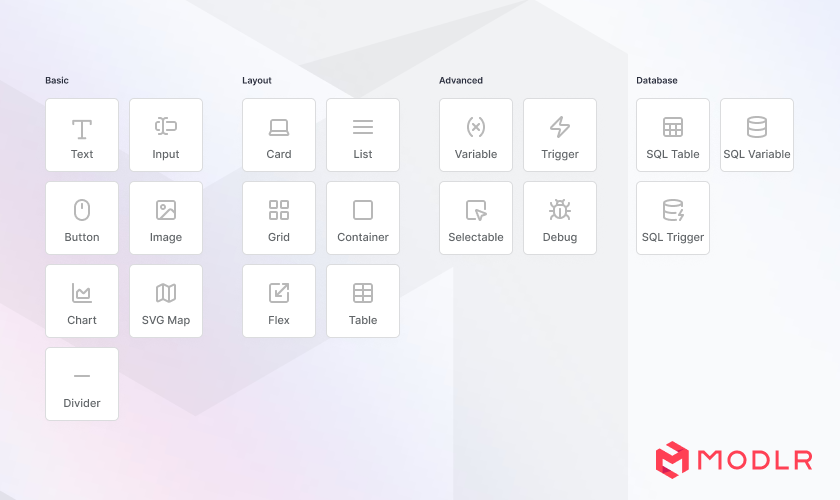
The component library
Components fall into six groups:
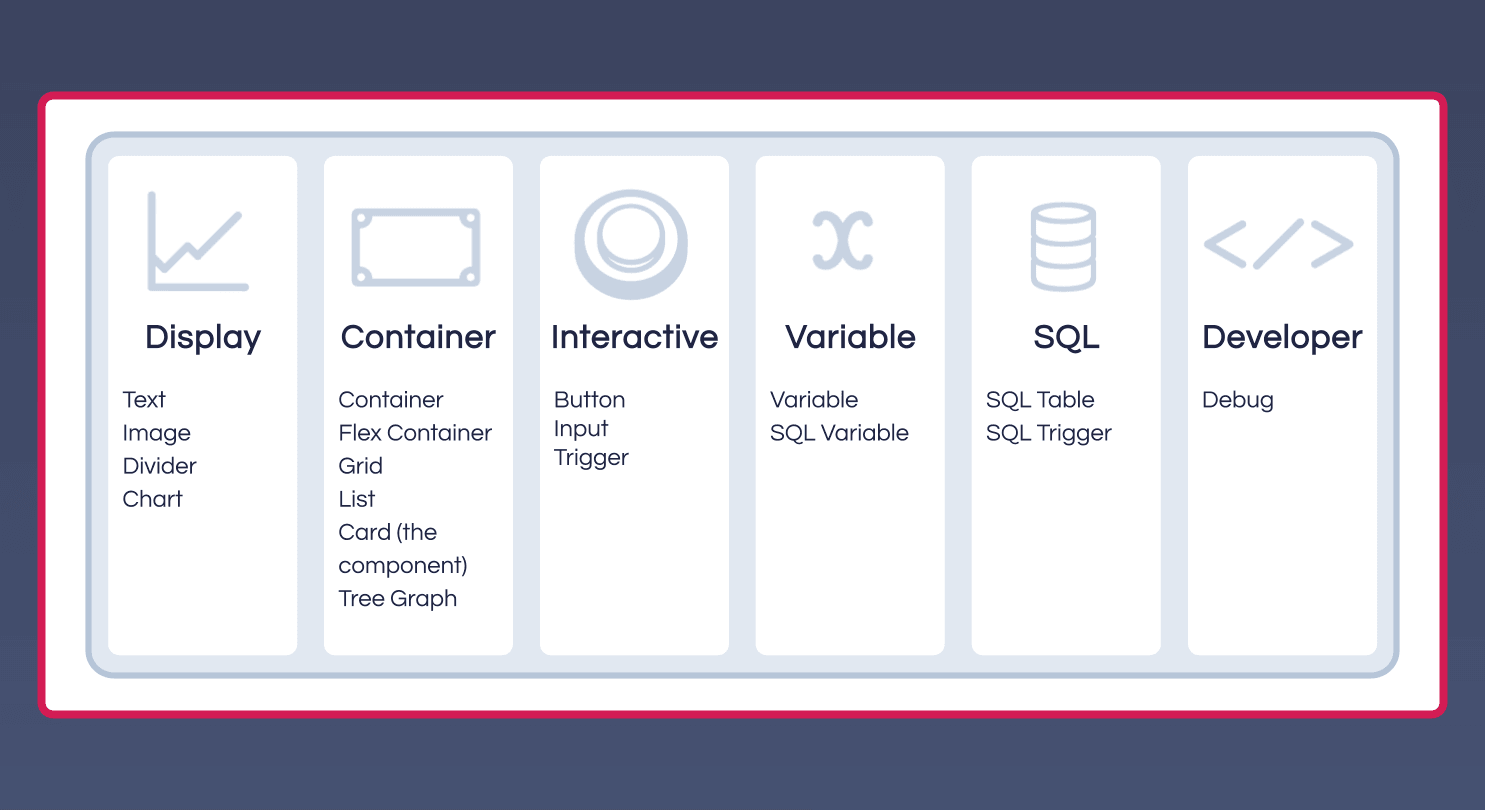
| Group | Components |
|---|---|
| Display | Text, Image, Divider, Chart |
| Container | Container, Flexible Container, Grid, List, Card, Tree Graph |
| Interactive | Button, Input, Trigger |
| Variable | Variable, SQL Variable |
| SQL | SQL Table, SQL Trigger |
| Developer | Debugger |
Reporting inside-out
A Card starts from a context - a set of dimension/element selections - and every component inside it inherits that context unless it overrides it. That's the opposite of how most BI tools work, where a report loads everything and filters narrow it down.
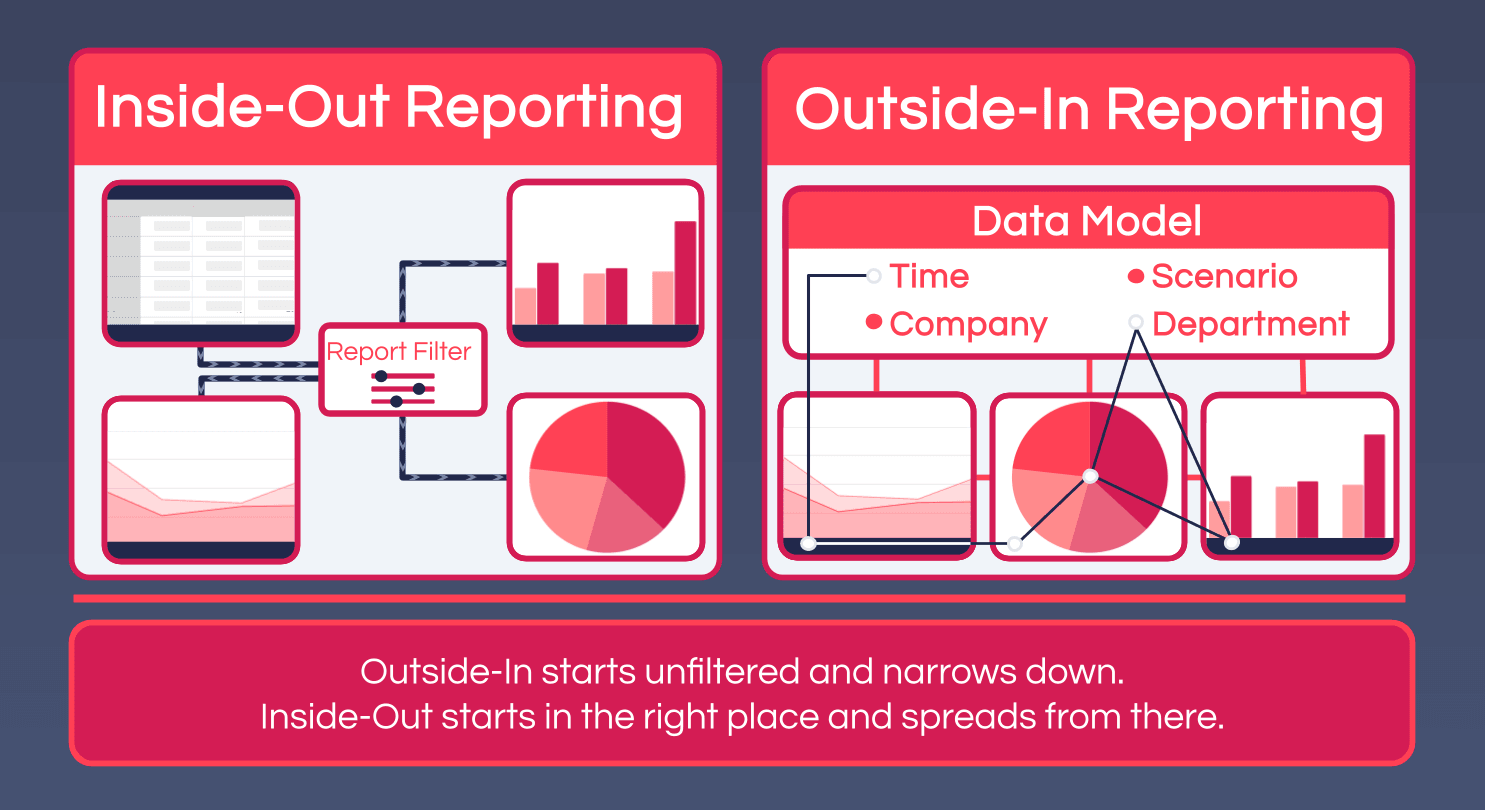
The practical effect is that a card only ever reads the intersection it needs, and changing the context re-reads rather than re-filters. See Adding Selections for how the context is driven by the user.
The following sections provides a comprehensive guide on utilizing MODLR's Card feature, including detailed instructions on each component and advanced functionalities.
Formulas throughout a card can also read from a set of built-in Reserved Variables - the current user, the card's rendered size, and variables scoped to specific components like List, Table, Chart and Tree Graph - without needing to define them yourself.
By leveraging MODLR's Card feature, organizations can create highly customized and interactive reports that enhance data-driven decision-making and operational insight.