
Selectable
Selectables are dropdown lists that can be used to change the context or variables of a card.
Common Use Properties
Dimension Property Only necessary if the selectable is intended to update the context. The dimension name specified in this property will be the dimension which will have its context updated upon selection.
Instructions Property Used to add one or more dimensions to the list that can be selected from.
Custom List Property Used to add custom (written in or formulated) items to the selectable that can be selected from.
Update Context Property If set to "Yes", the context panel of the card will update to reflect the selection.
INFO
This will not work without the Dimension Property being filled.*
This will not work if the selected element is not present in the dimension defined in the Dimension Property.*
Update Variable Property If set to "Yes", the variable defined in the Variable property will update to reflect the selection.
INFO
This will not work without the Variable Property being filled.*
Variable Property The name of the variable to have its value updated if the Update Variable Property is set to "Yes".
Persist Property Controls whether this selectable's selection is cached in the browser's local storage and reused on return visits. When a cached selection exists, it takes precedence over a Set Default Using The Next Instruction on the underlying set - set this to "No" if the set's default should win every time instead of whatever a user last picked.
Card selectables are the only ones with this explicit toggle. A Dashboard's Selectable widget persists automatically when it updates dimension context, but not when it's configured to update a variable instead; a Workview's title selectables always persist, with no way to turn it off.
Persist is also how linked-to values arrive
Local storage is what a screen link writes into. When a user arrives from a Workview header link or a Card link carrying a dimension in the query string, the value lands in local storage against that dimension's ID - so a selectable bound to the same dimension only picks it up if it persists. A selectable set to "No" ignores the passed element and shows the set's default instead.
Card context
A selectable that updates context changes the card's Card Context - the list of dimension/element pairs the card renders against, shown in the Context panel of the editor.
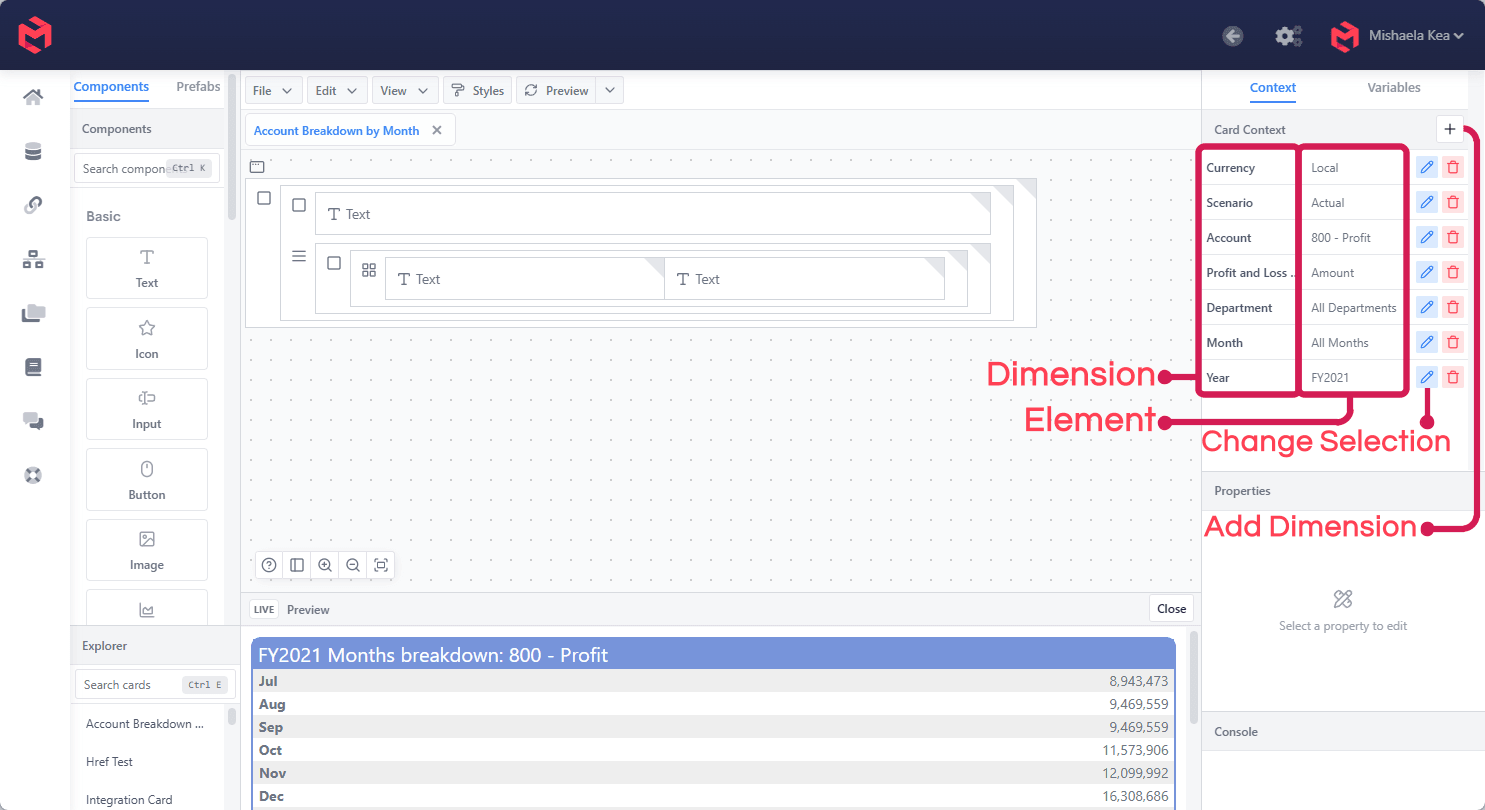
Each row pairs a dimension with the element currently selected for it. The pencil changes that selection, and + adds another dimension to the context. A selectable with Update Context set to Yes writes to the row for the dimension named in its Dimension property.