
Scheduling Processes
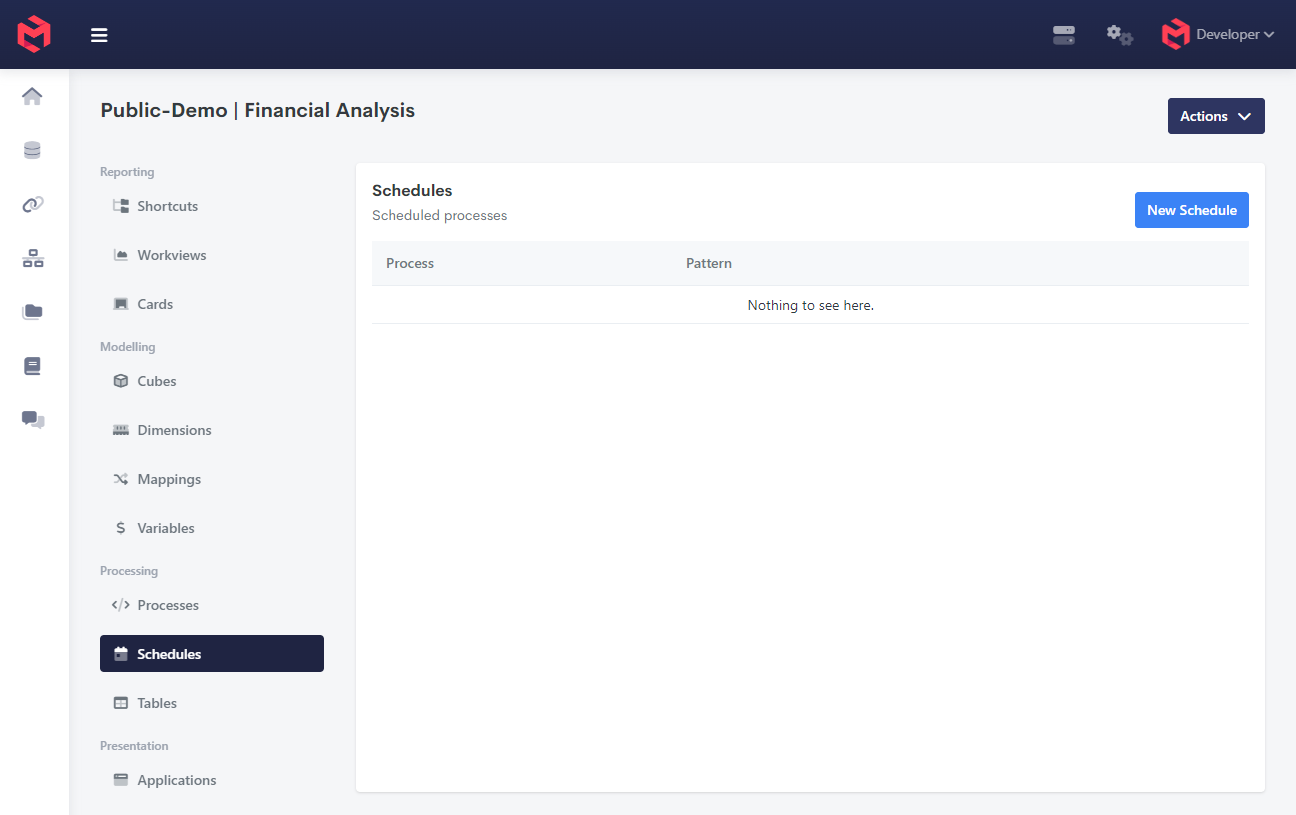
A Schedule belongs to a Model and names the Process it should run, along with when to run it. Schedules are created and maintained on the model's Schedules page - click New Schedule to add one.
What schedules are used for
A Schedule is for work that has to happen on a rhythm rather than when somebody asks for it:
| Use | Why it's scheduled |
|---|---|
| Keeping the Time dimension current | A model's Time dimension has to keep pace with the calendar. Running the process that rebuilds it nightly means the current month, quarter and year elements advance on their own, and reports that reference "current period" stay correct without anyone touching the model. |
| Overnight data loads | Pulling from a source system before the working day starts, so users open a model that is already up to date. |
| Rebuilding dimensions and mappings from source | Where structure is derived from an external system, a scheduled rebuild keeps it aligned rather than drifting until someone notices. |
| Housekeeping | Archiving a closed period to a Table, clearing staging data, or recalculating after a dependency changes. |
The example above is the first of these: System.Dimension.Time runs every day at 12:00, so the model's sense of "now" never falls behind.
Creating a Schedule
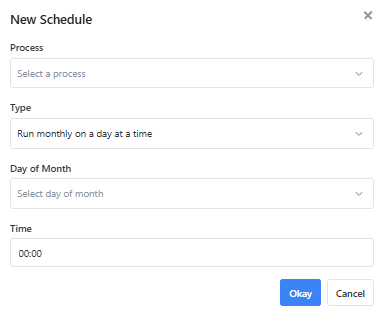
| Field | Description |
|---|---|
| Process | The Process this Schedule runs. |
| Type | How often it runs - monthly, weekly or daily. |
| Day of Month / Day of Week | Shown depending on the Type chosen. |
| Time | The time of day to run, as HH:MM. Required for every Type. |
The three Types are:
| Type | Additional field | Runs |
|---|---|---|
| Run monthly on a day at a time | Day of Month, 1-31 | Once a month, on that day, at the given time |
| Run weekly on a day at a time | Day of Week, Monday through Sunday | Once a week, on that day, at the given time |
| Run daily at a time | None | Every day at the given time |
Days of the month that don't always exist
A monthly Schedule set to day 31 will not run in a month that has no 31st - the same applies to 29 and 30 in February. If a Process genuinely needs to run on the last day of every month, schedule it daily and have the Process itself decide whether to do any work, using the JavaScript Date object to test the current date.
Server time is UTC
All MODLR servers run on UTC +0000, so a Schedule's Time is in UTC rather than the local time of whoever created it. A job that should run at 2am in a local timezone needs its Time set to the UTC equivalent, and that offset changes across daylight saving transitions.
Putting the condition in the Process
A Schedule only controls how often a Process is triggered. For anything more nuanced than a fixed interval - only doing real work in the last few days of a month, or running more often during month-end close and less often outside it - the Process itself can check the current date or other state and exit early when it's not actually time to run.
js
function begin() {
    const today = new Date();
    const isMonthEnd = today.getDate() >= 28;

    if (!isMonthEnd) {
        script.log('Not near month-end, skipping.');
        return;
    }

    // ...the actual work, only runs during the last few days of the month
}
Schedule the Process at whatever the finest interval you need - daily or hourly - and let this kind of check decide whether each run actually does anything. This is also the answer to the day-31 problem above.
More granular schedules
The three Types cover the common cases. For intervals they can't express - every 15 minutes, every second Tuesday, several times a day - a Schedule can be created through the API instead, using cron-format arguments.
From the Sandbox, select the /model.service service and the schedule.create task:
json
{
	"tasks": [
		{
			"task": "schedule.create",
			"hours": "",
			"months": "",
			"processid": "",
			"minutes": "",
			"weekdays": "",
			"days": "",
			"id": ""
		}
	]
}| Argument | Description |
|---|---|
processid | The Process to run. |
minutes | Minute of the hour. |
hours | Hour of the day. |
days | Day of the month. |
months | Month of the year. |
weekdays | Day of the week. |
id | The Schedule's identifier. |
Each time argument takes cron format, so * means every instance of that unit - "hours": "*" runs every hour, and combining "minutes": "0" with "hours": "*" runs on the hour, every hour.
Schedules created this way appear on the model's Schedules page alongside the rest. Note that a cron interval finer than the UI's three Types is still subject to the same UTC server time.
Related
- Creating Processes - building the Process a Schedule runs
- Logging within a Process - making a scheduled run diagnosable
- Logs and Monitoring - confirming a scheduled Process actually ran
- Restful API - the Sandbox and the
/model.serviceendpoint