
Model Configuration
When creating a new model, several new items are created by default.
| Object | Type | Description |
|---|---|---|
| Time | dimension | A Time dimension which matches the specifications of the model: - Time granularity - Financial Year - Month Build |
| System.Dimension.Time | process | A process to create the Time dimension. This includes code for the all combinations of the different model time settings. |
| Database Schema | MySQL schema | A database schema is created within the MySQL database which comes with the MODLR instance. This uses a sanitised version of the model name. A variable with this schema name is created inside the new Model. |
TIP
The Time Dimension may not be ideal for all models and can be deleted or ignored.
Managing a model
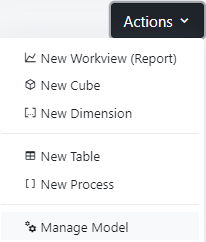
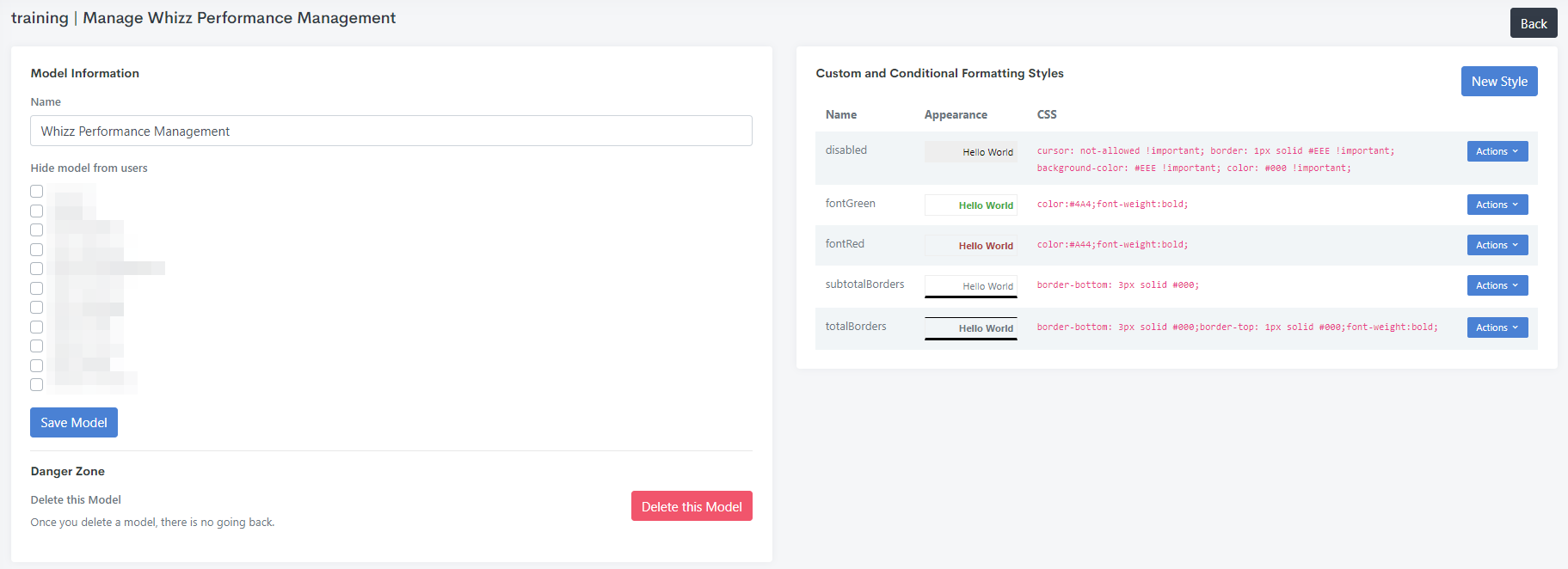
The model's name, visibility, and deletion are managed from the Manage Model page, accessible via the model's Actions menu.
TIP
A model can be hidden from selected Modellers. This prevents any access by that modeller to the model, without deleting it.