
Writing a Cube Formula
Cube formula allows business logic to be embedded within cubes and calculated in real-time. The formula can be restricted to elements or hierarchies within a cube and can calculate at the bottom level of the cube or at every level of the matching combinations of elements.
Common pattern: the directional logic flip
A typical Excel model handles Actuals and a forward-looking forecast as two different zones of the same row: hardcoded values in the historical columns, and a formula like Revenue = Units * Price taking over from the first forecast month onward. That split is fragile - insert a column, restate a prior period, or move the year boundary, and the position where formulas take over has to be manually adjusted - and it only expresses the relationship between Units, Price and Revenue in one direction.
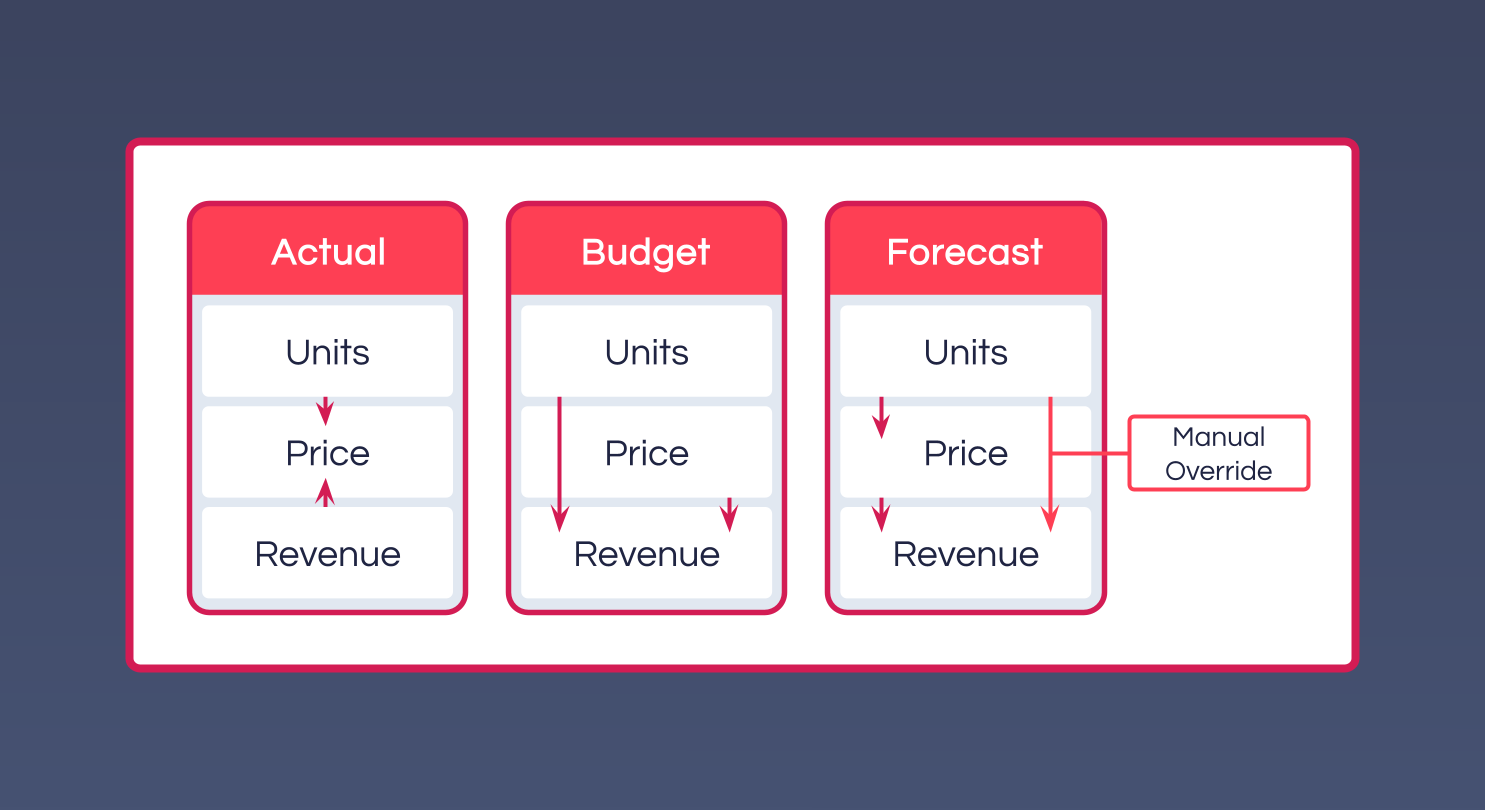
In MODLR, the relationship is declared once on the Cube, and the same formula calculates in both directions - which direction depends on the Scenario Element being calculated:
// In Actual, both Revenue and Units are loaded from source. Price is the useful derived measure.
["Price", "Actual"] = ["Revenue"] / ["Units"]
// In Budget/Forecast, Units and Price are planned. Revenue is the derived measure.
["Revenue", "Plan"] = ["Units"] * ["Price"]Both formulas live on the same Cube and activate based on which Scenario is being calculated - there's no separate historical zone and forward zone to maintain.
Preserving manual overrides with HASSTATICVALUE
A formula that's active everywhere would normally overwrite a manual override the moment someone types a value into a forecast cell - for example, planning a specific Revenue figure because of a known one-off contract. HASSTATICVALUE() lets the formula check for a user-entered value first, and STET tells the engine to stop the entire formula stack and use that static value instead of calculating:
["Revenue", "Plan"] =
IF (
    HASSTATICVALUE(),        // has a user typed a value into this cell?
    STET,                    // yes - stop the whole stack, use that value
    ["Units"] * ["Price"]    // no - calculate from drivers
)
This means the formula and a manual input can coexist at the same intersection: the calculation runs everywhere it isn't overridden, and an override is preserved rather than being silently recalculated away.
STET is the right choice here because the override should beat every formula on the Cube, not just this one. CONTINUE is a related but distinct instruction - it only skips the current formula and lets the next formula in the stack have a chance to calculate the cell instead, rather than falling straight through to the static value.