
Simple Validation
Why a Simple Validation
When validation should always contain the same list of valid options, it doesn't change based on the current context of your workview/card, or a cell location.
Creating a Simple Validation
Here's how it works in practice, using the Time dimension as an example.
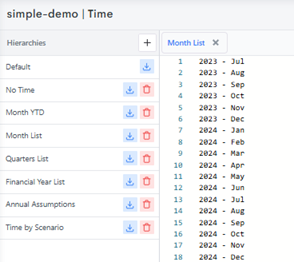
Start with a hierarchy like the one above - in this case, a "Month List" hierarchy under Time, broken down by year and month.
Next, open the Validation tab on the workview to configure a rule against the Time Mapping measure:
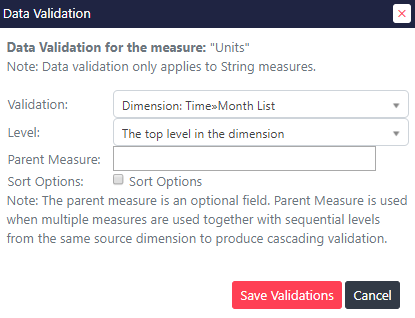
Here, a data validation is being applied to a Time Mapping string measure. This particular rule limits valid options to the top level of the "Month List" hierarchy in the Time dimension - so only entries at that level can be selected.
INFO
- The Level will always be set to the level of the simple list you would like displayed. If all of the Months were children of a parent, you would instead need to set Level to "The top level -1"
Once saved, the validation takes effect immediately at data-entry:
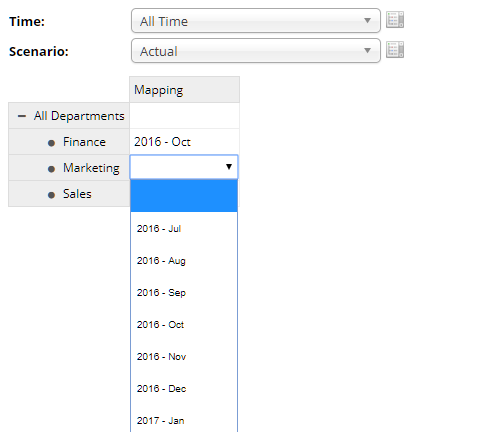
The validated string measure now displays a dropdown list of Months, constrained entirely by the validation rules just defined - keeping data entry consistent with the underlying hierarchy.