
Webhooks
Webhooks let an external system trigger a MODLR process over HTTP. Instead of waiting on a schedule, a Process can run the moment something happens in another system, a new email arriving, a payment being processed, a form being submitted, and so on.
Each webhook is tied to a single Model and Process. When the webhook's URL is called, MODLR executes that Process and makes the request's data available to the script via the WEBHOOK global object, so the Process can validate, parse and act on the incoming payload. This is typically done using a Scriptable Process (Custom Process).
How to generate a webhook url
- Navigate to Instance Settings
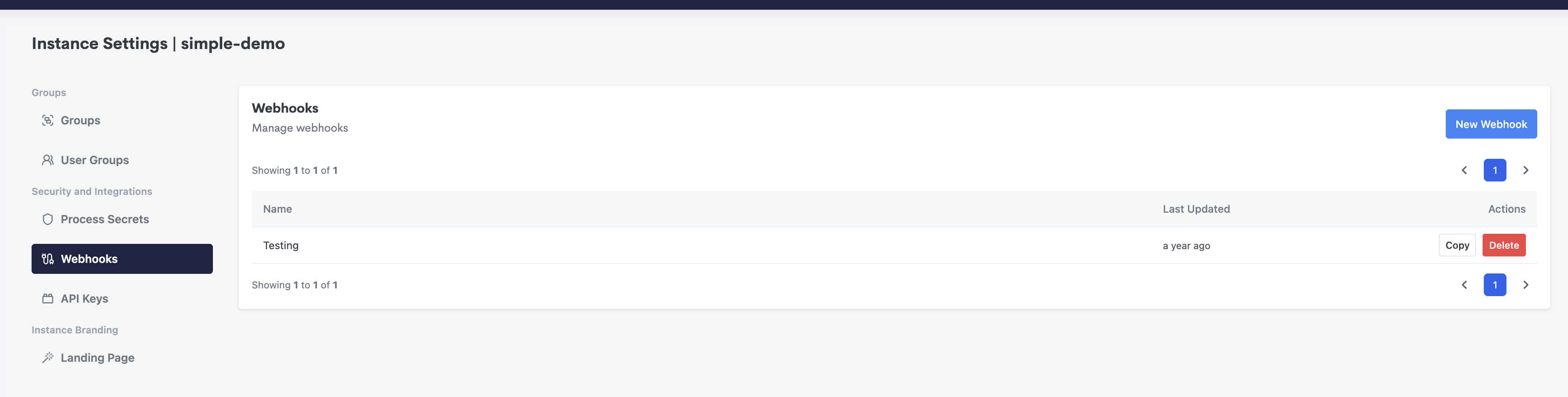
- Click New Webhook
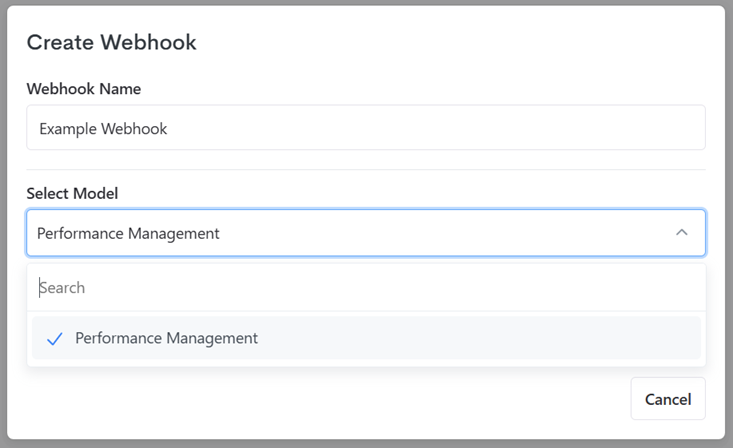
- Give the webhook a name, select the model and then the process you'd like to execute.
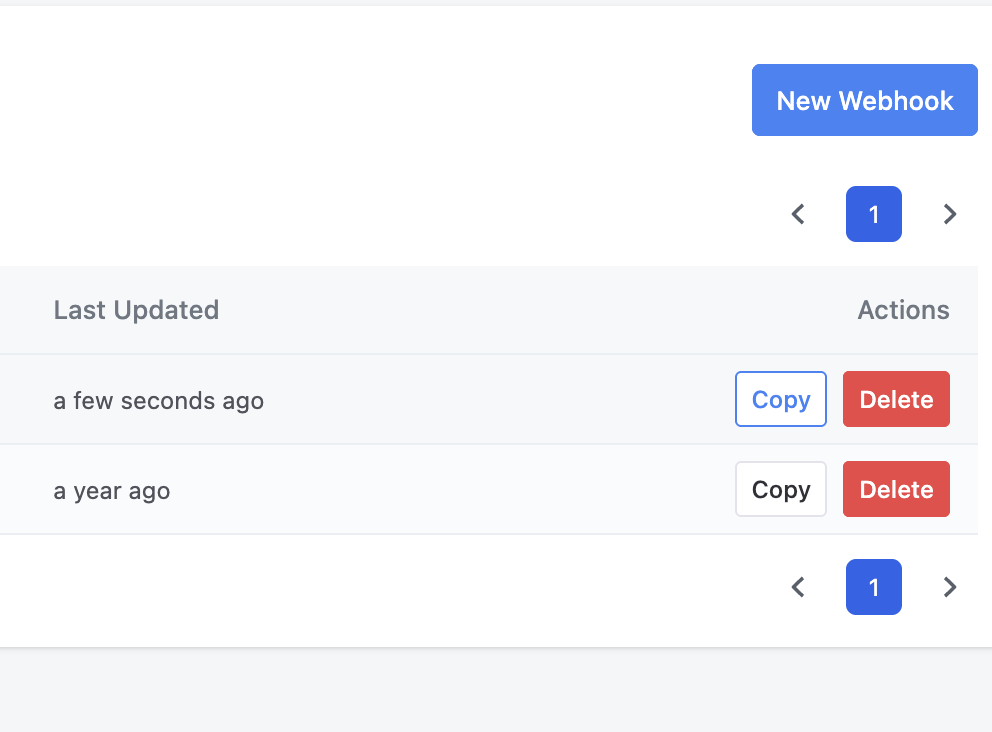
- Copy the webhook URL
The WEBHOOK object
Inside the Process's script, the WEBHOOK global exposes data from the incoming request:
| Property | Description |
|---|---|
WEBHOOK.body | The raw request body sent by the caller, as a string. Use JSON.parse(WEBHOOK.body) if the caller sends JSON. |
TIP
Treat the webhook URL as a secret, anyone who has it can trigger the linked Process. Where the calling system supports it, verify the payload inside the script (for example checking a signature) before acting on it, as shown in the example below.
Examples
- Mailgun - validating an inbound email webhook and saving its attachments