
Accessing Files via FTP
Each MODLR instance includes an FTP server that exposes the instance filesystem. This lets you upload and download files (such as CSV files for processing) using any standard file transfer client.
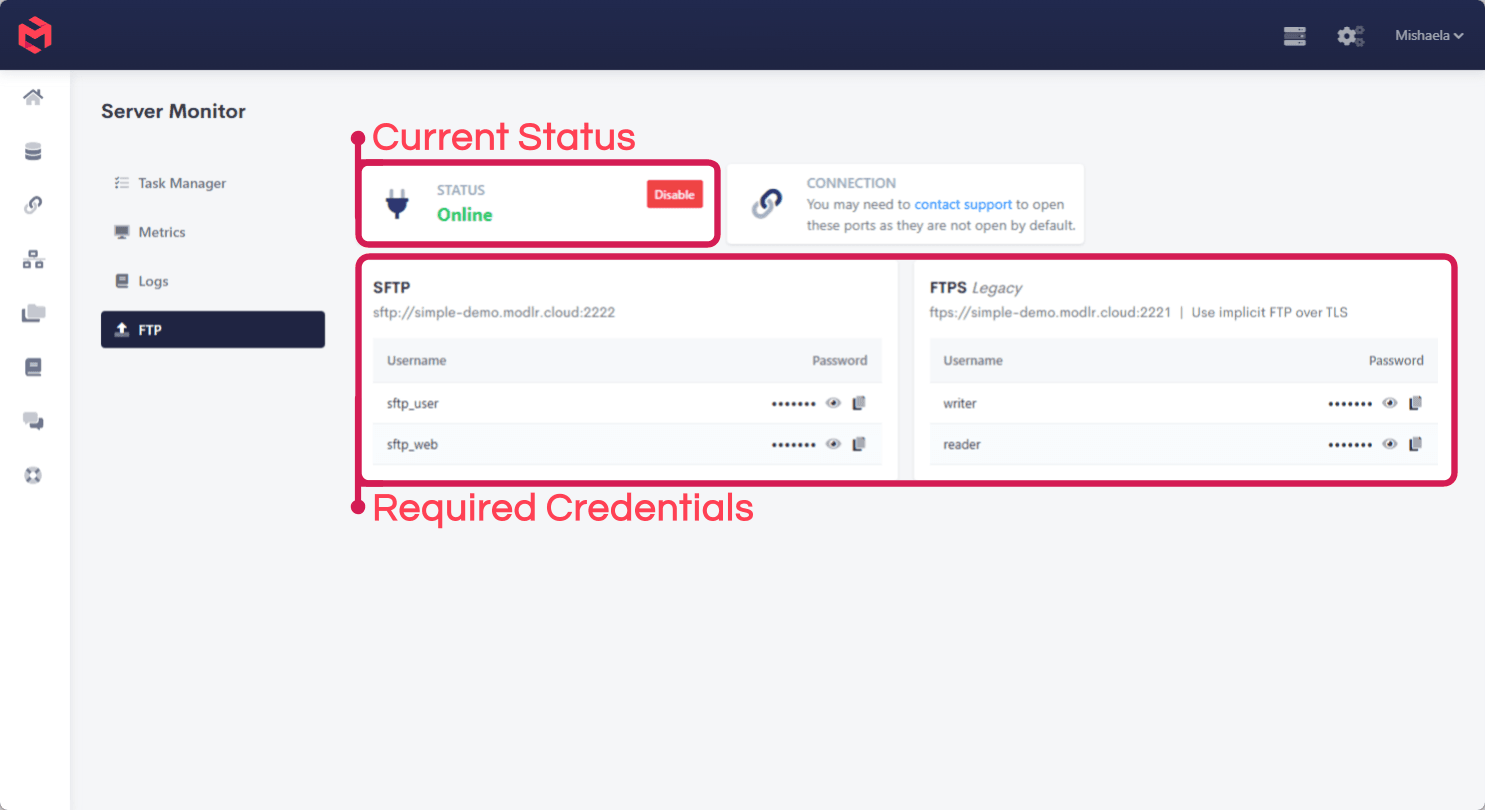
You manage this from the Server Monitor screen, under the FTP tab.
Opening ports
For security, the FTP ports are not open by default. Before you can connect, the relevant ports need to be opened for your instance. Submit a request to the MODLR Team to have them opened - fill in your instance name and confirm which protocol you need.
Enabling and disabling FTP
The Status card shows whether the FTP service is currently Online or Offline. Use the Enable / Disable button to turn the service on or off at any time.
When the service is disabled, no connections can be made regardless of whether the ports are open.
Choosing a protocol
Two protocols are available:
- SFTP - the secure, recommended option.
- FTPS - the older, legacy option, provided for backwards compatibility only.
We strongly recommend using SFTP. Only use FTPS if you have an existing integration that requires it.