
Model Objects
Opening a model presents a left-hand navigation panel grouping every object type it can contain. This page is a map of that panel - one entry per object, linking to where it's documented. Two further object types, Styles and Packages, aren't part of this panel at all and so don't appear in the image below - they're reached from the model's Actions menu instead, covered in their own section further down.
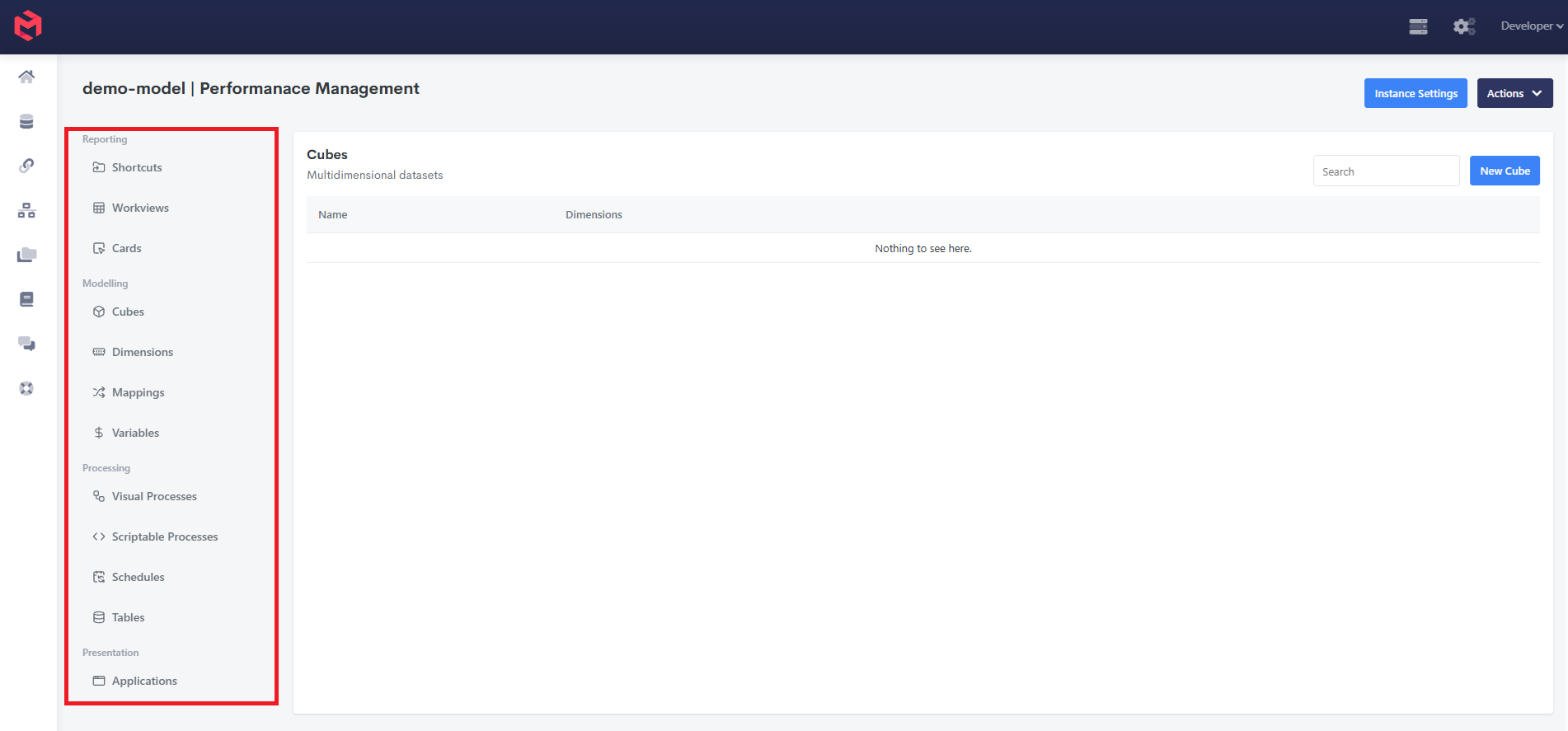
Reporting
| Object | Description | Documentation |
|---|---|---|
| Shortcuts | Organises model objects into folders for quick access, independent of where those objects actually live - grouping a Workview and a Process together under "Month End," for example. | Shortcuts |
| Workviews | Grid-based reports built against a cube, using Set Instructions to control what each row/column shows. | Creating Workviews |
| Cards | Freeform, component-based screens (tables, charts, inputs, and more) built against the model's data. | Card Guides |
Modelling
| Object | Description | Documentation |
|---|---|---|
| Cubes | Multidimensional datasets - the core data structure everything else reports against or writes into. | About Cubes |
| Dimensions | The named lists of elements (Time, Account, Department, etc.) that give a cube its axes. | About Dimensions |
| Mappings | Create a mapping between one or more MODLR dimensions on each side - a lookup table associating elements on the left with elements on the right, maintained in its grid or via the mapping.* process functions. | Mappings, Mapping Functions, Example Processes: Mapping Processes |
| Variables | Model-scoped key-value pairs, read in Cards, Workviews, Cube Formulas, Processes, and the Excel Add-in - a value maintained in one place rather than duplicated across everywhere it's needed. | Model Variables, Using Model Variables |
Processing
| Object | Description | Documentation |
|---|---|---|
| Visual Processes | Wizard-driven processes - Build a Cube from Data, Build a Hierarchy from Data - for common load patterns without writing script. | Creating Processes, Visual Process Editor |
| Scriptable Processes | Custom processes written in JavaScript, for logic the visual builders can't express. | Scriptable Process (Custom Process), Process Functions |
| Schedules | Run a Process automatically at a monthly, weekly or daily interval, each at a given time. Finer intervals can be created through the API using cron-format arguments. Times are UTC. | Scheduling Processes |
| Tables | Flat relational tables held in the instance's Internal Datastore, typically used as an ETL staging area within a Process - loading raw source rows into a Table before mapping them into Dimensions and Cubes. Referenced via the table.* and datasource.* process functions. | Tables, Table Functions, Datasource Functions |
Presentation
| Object | Description | Documentation |
|---|---|---|
| Applications | Bundles of Screens, Dashboards, and access rules presented to end users. Applications have their own set of object types, mapped separately. | About Applications, Application Objects |
Managed from the Actions menu
A few model objects aren't in the left-hand panel at all - they're reached from the model's Actions menu instead:
| Object | Description | Documentation |
|---|---|---|
| Styles | A model-wide library of named CSS formats, used in Workviews. Cards have their own separate style system. | Model Styles |
| Packages | MODLR's proprietary export/import file format for moving pre-built model objects between models or instances. | Packages |