
Instance Settings
Instance Settings holds configuration that applies across an entire instance rather than to any one model. It's reached from Instance Settings on a model or application page.
Because these settings affect every model and every user on the instance, it's a Modeller-level area.
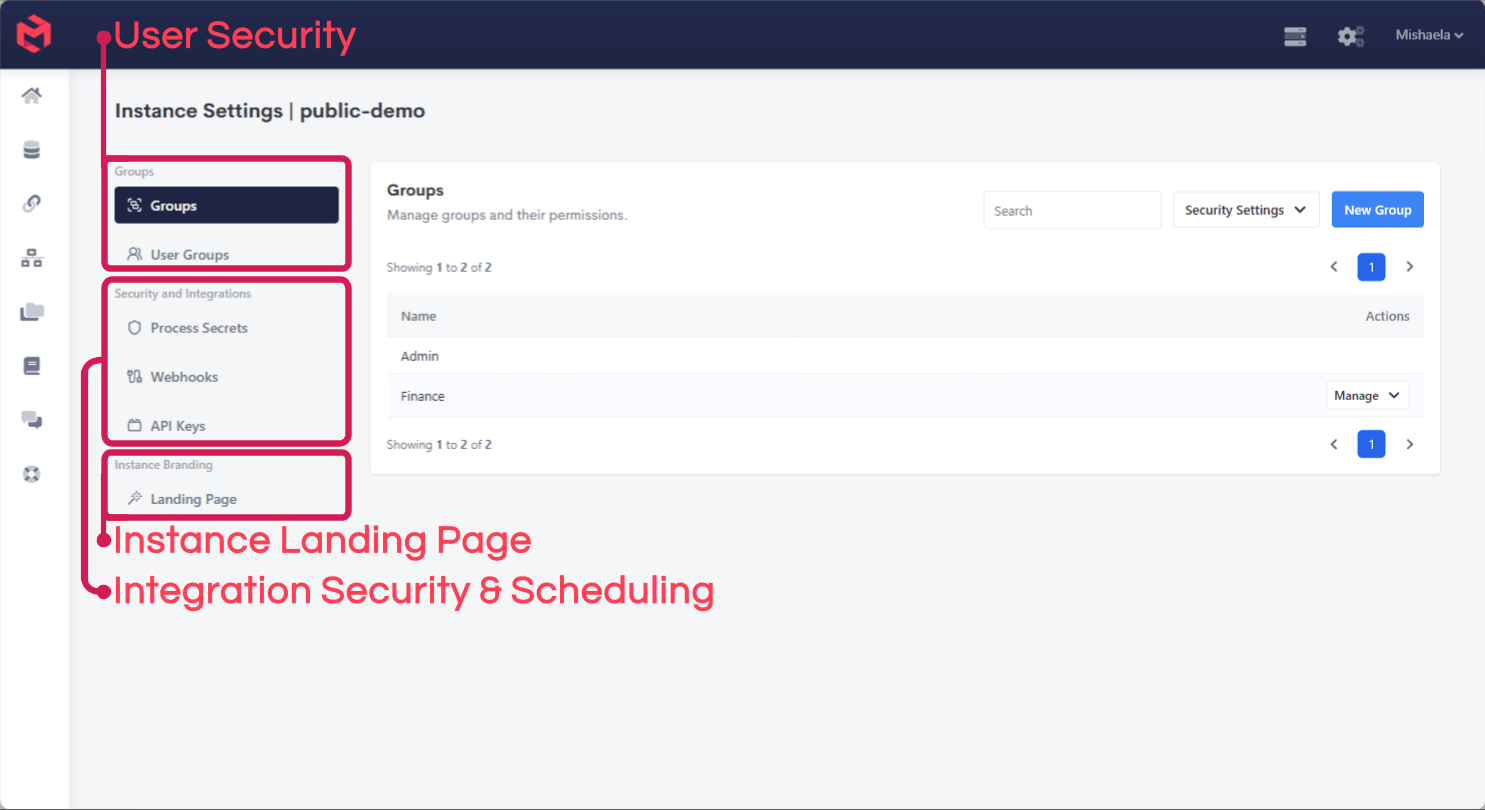
It's organised into three sections.
Groups
| Page | Purpose |
|---|---|
| Groups | Create and maintain the groups that permissions are granted to, and set what each group can access. |
| User Groups | Assign users into those groups. |
This is where Instance Security is administered. MODLR applies object permissions to groups rather than to individual users: access is set once on a group, and users inherit it by membership. That indirection is what makes security maintainable - restricting an Employee dimension, or restricting elements so managers see only their own department, is written against a group, and onboarding a new manager becomes a matter of adding them to it.
The Security Settings menu on this page controls instance-wide security behaviour, and New Group creates a group.
Groups can also be maintained from a Process, via userSecurity.groups, userSecurity.group and userSecurity.users - useful where membership should follow an HR system rather than be maintained by hand.
Security and Integrations
| Page | Purpose |
|---|---|
| Process Secrets | Credentials and tokens a Process needs, held outside the Process script so they aren't stored in readable code. |
| Webhooks | Inbound endpoints that let an external system trigger a Process. See Webhooks. |
| API Keys | Keys authenticating external callers into this instance's API. See Restful API. |
Process Secrets matter for any Integration: a script that embeds an API key in its source exposes that key to anyone who can open the Process. Storing it as a secret and referencing it instead keeps the credential out of the script, and lets it be rotated without editing every Process that uses it. The Visual Process editor reads them through the Secret node, and a worked example is in Mailgun Webhooks.
Instance Branding
| Page | Purpose |
|---|---|
| Landing Page | The page served at the instance URL itself, before any application route. |
This is what a user sees at company-name.modlr.cloud when no application route follows. It's distinct from an application's own initial landing page, which governs where a user lands within an application.
Related
- Instance Security - the object permissions granted to these groups
- MODLR Security - how instance and application security relate
- Webhooks - triggering a Process from an external system
- About Instances - what an instance contains