
File Manager
The File Manager browses the instance filesystem: the directory on the server that MODLR uses for files rather than data. It's reached from File Manager in the Gateway's primary menu, or from a model's own page.
Everything that isn't a Cube value tends to pass through here - source CSVs waiting to be loaded, images displayed in Cards, files written out by an export Process, and Packages created for deployment.
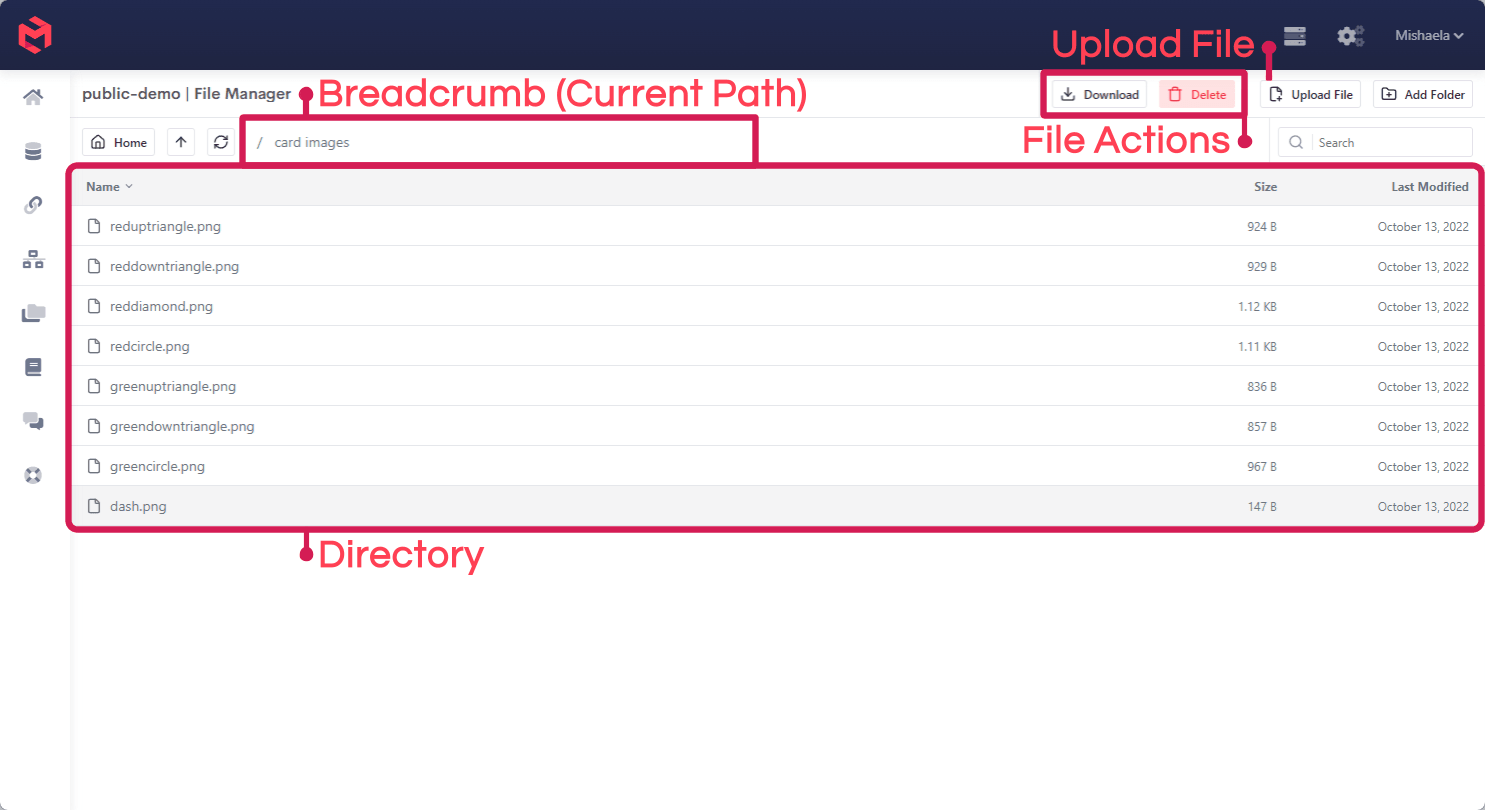
The breadcrumb shows the directory you're currently in, and Home, the up arrow and the refresh control move around it. Add Folder creates a subdirectory, and selecting a file exposes Download and Delete.
What lives here
| Content | How it gets there |
|---|---|
| Source data files | Uploaded by hand, or delivered by FTP or a Process |
| Images used in Cards | Uploaded here, then referenced by path from the Image component |
| Files written by a Process | Created by the datasource.* file functions during a run |
| Packages | Written to the model's root directory when a Package is created |
Uploading a file
Open the File Manager, click Upload File, then Choose File, select the file and confirm. The file lands in whichever directory you're currently browsing, so navigate to the destination folder first.
Uploaded files are addressed by their path relative to the home directory. An image uploaded into an images folder is referenced from a Card's Image component as images/your-image-here.png, not as a full URL.
Manual upload isn't only a setup step. Where data has no automated feed behind it, uploading by hand is a perfectly normal way to keep it current - a user updates the file and uploads the new version to the same directory, and a Process pointed at that path reads whatever is there on its next run. Anything uploaded this way lives in the same filesystem as everything else, so it's equally reachable over FTP and from a Process.
Reaching the same files elsewhere
The File Manager is one of three ways into the same filesystem, and which you use depends on whether a person or a system is doing the work:
- The File Manager - browsing, manual uploads and updates, and checking what a Process actually produced.
- FTP - scheduled or automated delivery from another system. Each instance ships with a MODLR Filesystem datasource pointing at the
filesystemfolder, which is the FTP server's default directory - so a CSV dropped by FTP is immediately readable by a Process. Note that FTP ports are closed by default and must be opened by support. - Process functions - reading and writing files during a run, via
datasource.files,datasource.readFile,datasource.csvRead,datasource.directoryCreateand the rest of the Datasource Functions.
Loading a file once it's uploaded
Uploading a file doesn't load it. See Loading a Flat File for reading a CSV into Dimensions and Cubes, and Reading Excel Files for .xlsx sources.
Related
- Accessing Files via FTP - automated file delivery into the same filesystem
- Datasource Functions - reading and writing files from a Process
- Packages - the export format written to the model's root directory
- Navigation within MODLR - where the File Manager sits in the Gateway