
Manage Datastore
The Datastore area browses the instance's Internal Datastore directly - the tables it holds, and the rows inside them. It's the read/write counterpart to Tables, which is where a table's structure is defined.
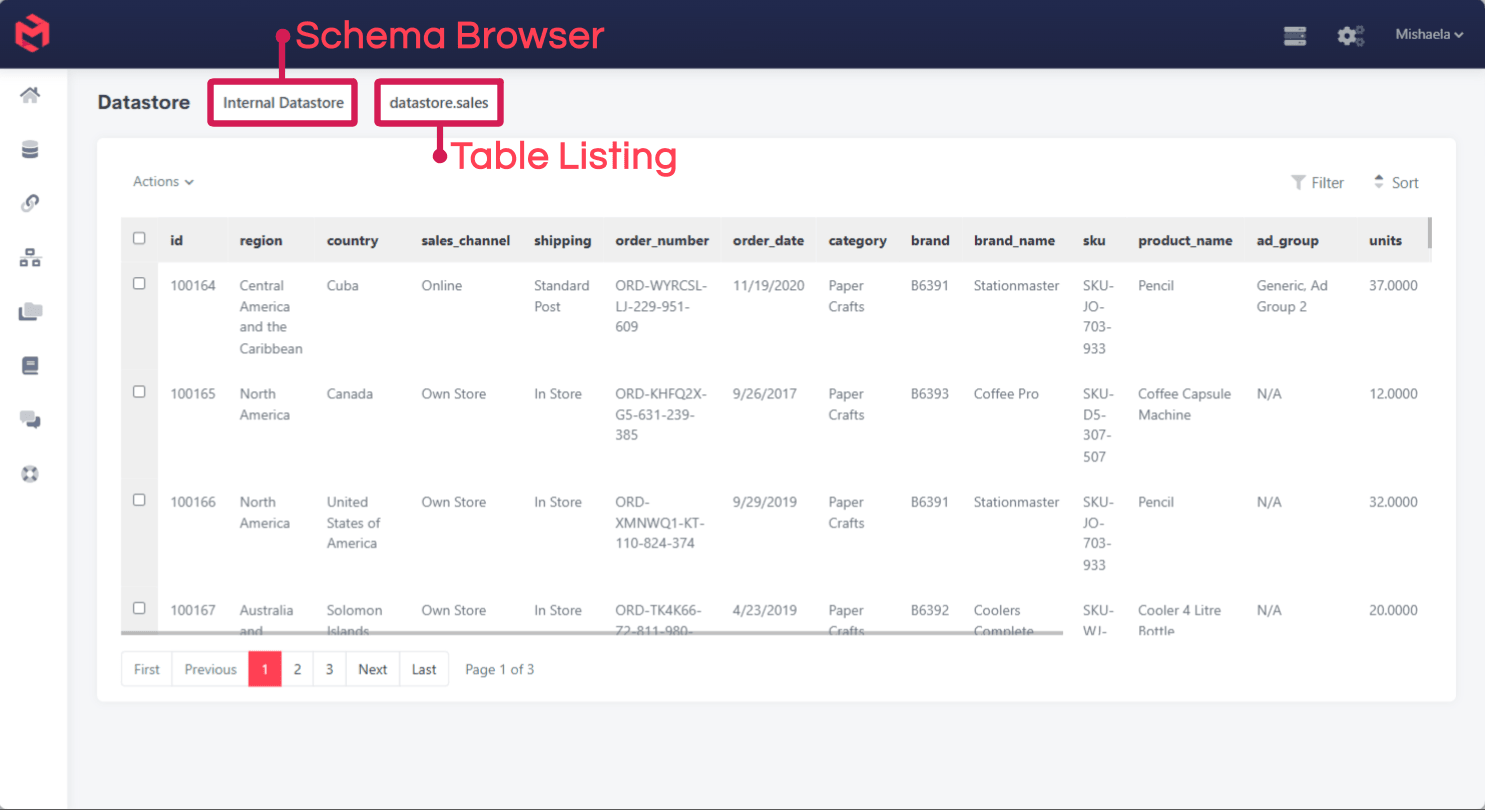
Two selectors sit above the grid:
| Control | Purpose |
|---|---|
| Schema browser | Which datastore to read - Internal Datastore for the database that ships with every instance. |
| Table listing | Which table within it, named schema.table (e.g. datastore.sales). |
Below them, the selected table's rows are shown a page at a time, with Filter and Sort controls and an Actions menu for operating on the rows you've selected.
When to use it
This is the place to confirm what a load actually produced. When a Process has staged rows into a Table and the resulting Cube numbers look wrong, the question is usually whether the rows arrived as expected - and this shows them without writing a query or connecting an external client.
For anything beyond inspection, the other routes are better suited:
- Reading and writing rows in bulk - the
datasource.*functions from a Process. See Tables. - Surfacing datastore data to end users - the SQL Table and SQL Trigger card components.
- Querying from outside MODLR - see Accessing MySQL Directly and Accessing MySQL via Gateway.
Rows here are live
The grid edits the underlying database directly, with no model-level validation in between. A row changed here is changed for every Card, Custom Page and Process that reads that table.
Related
- Tables - defining the tables this browses
- Datasources - connecting to databases outside MODLR
- Accessing MySQL Directly - external access to the same data