
About the Time Dimension
Almost every Model needs a Time dimension, and almost every Time dimension needs the same things: a clean roll-up from months to quarters, halves and years; a Year-to-Date view for cumulative reporting; a flat, calendar-ordered list of periods for sequence-based formulas; and a holding place for annual assumptions that don't belong to any one month. Building all of that by hand for every new Model would be tedious and inconsistent, so MODLR builds it automatically.
How the dimension is built
When a Dimension is created with the Time type, the built-in system process System.Dimension.Time populates it based on three model variables:
model.Financial Year- where the financial year starts and ends, as a literal string like"Jan to Dec"or"Jul to Jun"(confirmed viascript.variableGet("model.Financial Year")). Defaults to calendar year ("Jan to Dec"), but any twelve-month window is supported.model.Granularity- the lowest level of detail in the dimension: Day, Week, Month, Quarter or Year.model.Month Build- how month elements are named.
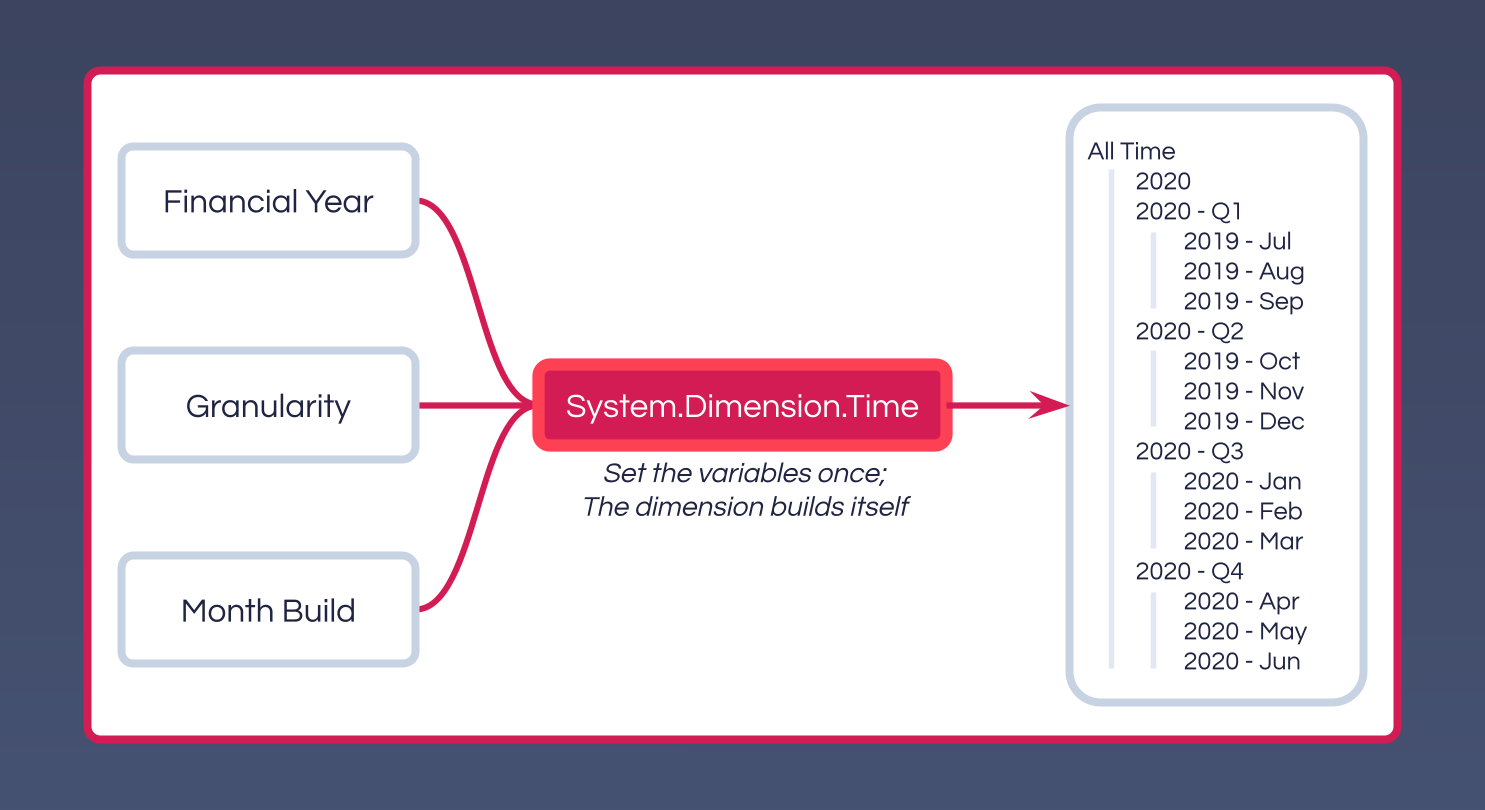
Elements built this way use a concatenated naming pattern - 2024 - Jan rather than just Jan - so every element name is globally unique within the dimension, and 2024 - Jan and 2025 - Jan never collide.
See System.Dimension.Time for the process itself, including its full script.
The standard Hierarchies
A Time dimension built by System.Dimension.Time includes several Hierarchies, each solving a specific reporting or calculation need:
| Hierarchy | Purpose |
|---|---|
Default | The standard roll-up: months under quarters, quarters under halves, halves under the financial year. Used for most consolidated reporting. |
No Time | A single-element hierarchy for Cubes that need to reference a Time dimension but don't actually vary by time - global rates, exchange rates, standing assumptions. Structurally separate from the main timeline so it never rolls into period totals. |
Month YTD | Each month rolls up cumulatively - Mar YTD contains Jan, Feb and Mar; Apr YTD contains Jan through Apr. Powers year-to-date reporting without any custom formula, since the hierarchy structure itself does the cumulation. |
Month List | A flat, calendar-ordered list of months with no roll-ups. This is what SEQUENCE and similar functions step through for rolling balances, prior-period comparisons, or any logic that moves along the timeline one period at a time - consolidation elements would only get in the way. |
Quarters List | The same flat-list pattern as Month List, at the quarterly grain. |
Financial Year List | Unlike Month List and Quarters List, this isn't flat - each Financial Year element (FY2023, FY2024, ...) is its own root, directly parenting the twelve months that fall inside it. Useful for sequencing by year while still being able to drill a single year down to its months. |
Annual Assumptions | Holds assumptions that apply for a full year rather than any specific month - an annual headcount target, an annual capex envelope - rather than arbitrarily assigning the value to one month or duplicating it across twelve. |
Week List | A flat list of weeks, present when granularity is Day or Week. |
Date List | A flat list of individual dates, present when granularity is Day. |
Choosing the grain
Granularity is worth deliberate thought, since the cost of finer grain is real: a daily Time dimension spanning five years holds roughly thirty times as many elements as a monthly one over the same span, and every formula or Process that touches every period runs proportionally more iterations.
Choose the grain that matches the most detailed report the Model genuinely needs to produce - not the grain that might be useful "someday." If both a coarse summary and fine detail are genuinely needed, a common pattern is a separate Cube at the finer grain (e.g. a daily cash flow Cube) feeding up into the main Cube at the coarser grain (e.g. a monthly P&L), rather than building the whole Model at the finer grain.
Extending the Time dimension
To extend a Time dimension - further into the future as planning horizons shift, or further into the past as history becomes available - run System.Dimension.Time again directly. It prompts for:
- Dimension Name - the Time dimension to rebuild.
- Year From / Year To - the new range, in
YYYYformat.
WARNING
The process wipes the dimension before rebuilding it across the new range, so any Hierarchies or Aliases added manually will be lost. Add custom structure through a separate scripted Process that runs after System.Dimension.Time, so it can be reapplied automatically every time the dimension is rebuilt.
Common pitfalls
- Hand-building a Time dimension instead of using
System.Dimension.Timeloses the standard Hierarchies above, several of which other MODLR functions and integrations expect to find. Use the system process, and layer any custom structure on top of it via your own scripted Process. - Hardcoding the current period (e.g. the literal string
"2024 - Mar") inside a formula means that formula needs editing every month. Hold the current period boundary in a model variable (a common convention isTime.Current Month) instead, and reference the variable from formulas, reports and selectables - the whole Model then rolls forward when the variable updates, with nothing else to change.