
About the Scenario Dimension
Almost every Model has a Scenario dimension - it's what holds Actual, Budget, Forecast and any other parallel view of the business, and it's important enough that MODLR offers it as a dedicated dimension type, which also lets MODLR's assistant features recognise it. A flat list works for the simplest models:
All Scenarios
    Actual
    Budget
    Forecast
Real Models usually need more structure than this, because scenarios don't all behave the same way: some are actively being planned, others are completed snapshots that need to be preserved untouched, and formulas typically need to apply to the first group but never the second.
The planning-versus-archive pattern
A convention worth adopting from the start of every Model: alongside the Default Hierarchy, add a Planning Scenarios Hierarchy and an Archive Scenarios Hierarchy, and keep Actual in Default only, since it belongs to neither group.
Default (the main view)
All Scenarios
    Actual
    Budget
    Forecast
    Final Budget
    Final Forecast
Planning Scenarios
All Planning Scenarios
    Budget
    Forecast
Archive Scenarios
All Archive Scenarios
    Final Budget
    Final Forecast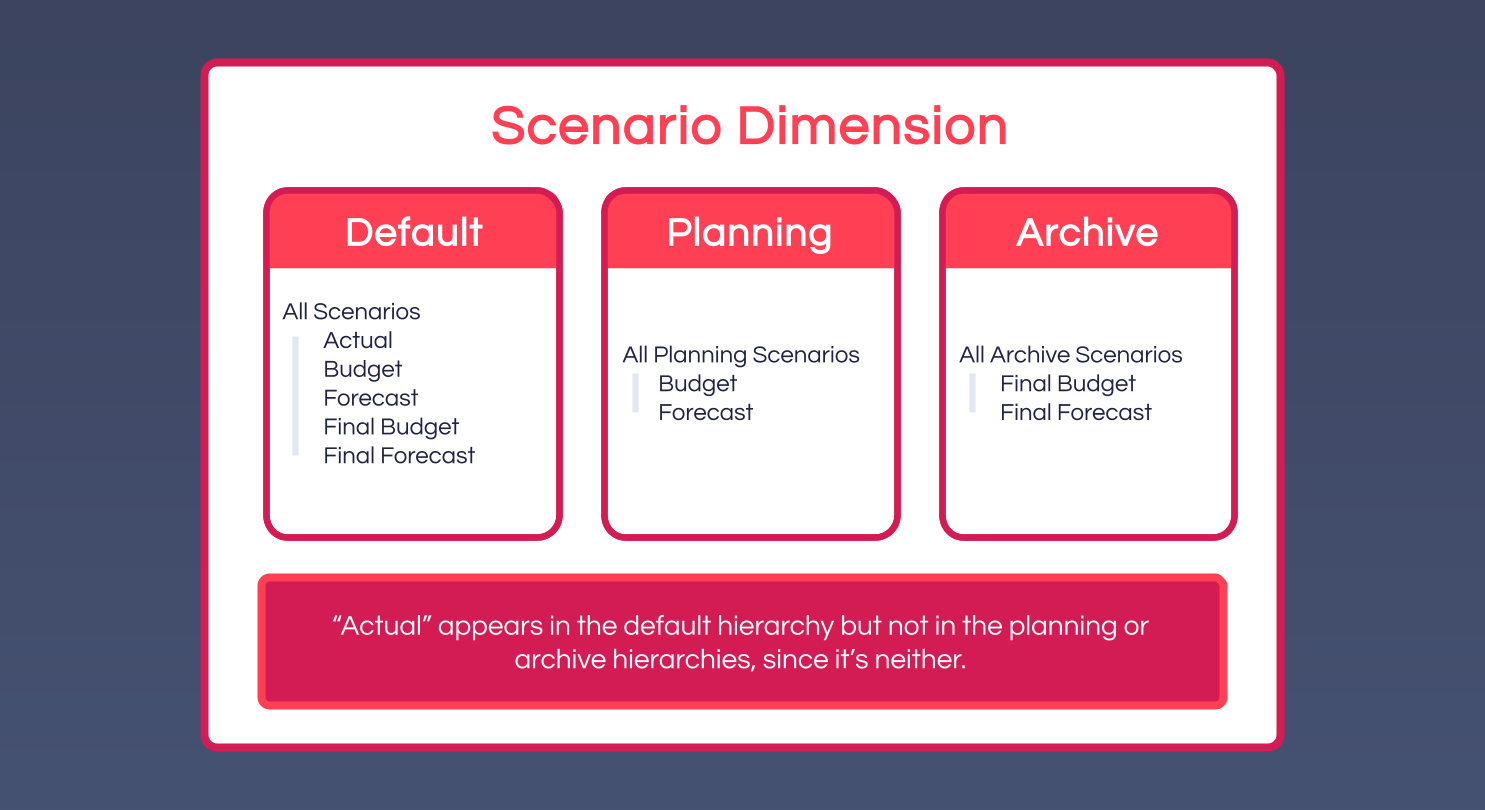
This split pays off in three ways:
- Formulas target the right group cleanly. Restrict a planning formula to the
Planning ScenariosHierarchy rather than to a named list of scenarios, and it automatically covers every scenario placed underAll Planning Scenarios- including ones added next year, with nothing to update on the formula itself. - Reports build dynamic scenario lists. A Workview or Card selector built from the children of
All Planning Scenariospicks up a newly added planning scenario without anyone touching the report. - The lifecycle of a scenario becomes explicit. When a planning round ends, its values are copied into a
Final Forecast(orFinal Budget) archive scenario and the active planning scenario is reset for the next round. Archive scenarios typically carry no cube formulas at all - since planning formulas are restricted toPlanning Scenarios, the archive can sit alongside actively-calculating scenarios as a safe, frozen snapshot.
How Time and Scenario interact
Together, Time and Scenario answer when and under what assumption. A few patterns are worth knowing:
- Actual fills the past; planning fills the future. In most Models,
Actualholds values only for elapsed periods, loaded by integration Processes, while planning scenarios hold values for periods still ahead, populated by users or formulas. Some Models go further with a composite forecast - a planning scenario that shows real Actuals for elapsed months and calculated values for the rest, typically via a formula along the lines of "for past periods, use Actual; for future periods, calculate." - The current-period boundary lives in a variable, not in the data. A common convention is a model variable like
Time.Current Month, updated once a month. Formulas, report defaults and Workview highlighting all reference it, so the entire Model rolls forward the moment the variable updates - no formulas or reports need editing. - Year-end is a Process, not a data event. Closing a financial year typically means archiving the current forecast into a final scenario (a custom Process that copies values across), and potentially extending the Time dimension forward via
System.Dimension.Time. With clean Planning/Archive hierarchies in place, neither step touches any formula, report or Application.
Common pitfalls
- Restricting planning formulas to
All Scenariosinstead ofAll Planning Scenariosmeans they keep calculating against archived scenarios too, turning a frozen snapshot into a moving target and defeating the point of archiving it. - Using a flat, ever-growing scenario list without a Planning/Archive split leaves reports cluttered with old scenarios that should have been archived. Build the parallel hierarchies from the start, even with only two or three scenarios today - it's far cheaper than refactoring later.
- Setting the dimension type to Standard instead of Scenario loses the platform behaviours - such as assistant recognition - that come with the dedicated Scenario type.