Sort By Value Using The Next Instruction (Descending)
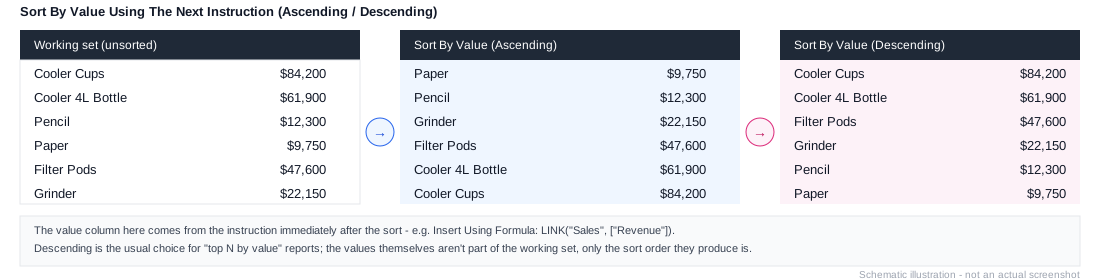
Workview-only. Column axis only. The descending equivalent of Sort By Value Using The Next Instruction (Ascending) - sorts the working list (on the row axis) by the value of a measure or formula specified in the next instruction, highest to lowest. The usual choice for "top N by value" reports.
Needs a value provider immediately after it
This instruction reads its sort criterion from the very next instruction in the stack - it doesn't carry one itself. If that instruction doesn't produce a value (a name-based sort, for example), the sort won't behave as expected.
Example
1. Element: All Products
2. Expand All
3. Remove Consolidations
4. Sort By Value Using The Next Instruction (Descending)
5. Insert Using Formula: LINK("Sales", ["Revenue"])
Step 5 is the value step 4 sorts by - this produces "products ranked from highest to lowest Revenue," the classic top-N layout. See Common Patterns for the full pattern.