Collapse Next Instruction / Collapse Using The Next Instruction
A modifier instruction - it doesn't add or remove elements itself. Instead, it collapses whichever element(s) the next instruction in the stack targets, removing any children that an earlier Expand or Expand All had added beneath them.
It's the mirror of Expand Next Instruction: where that expands one specific element without touching the rest of the working list, this collapses one specific element the same way.
Example
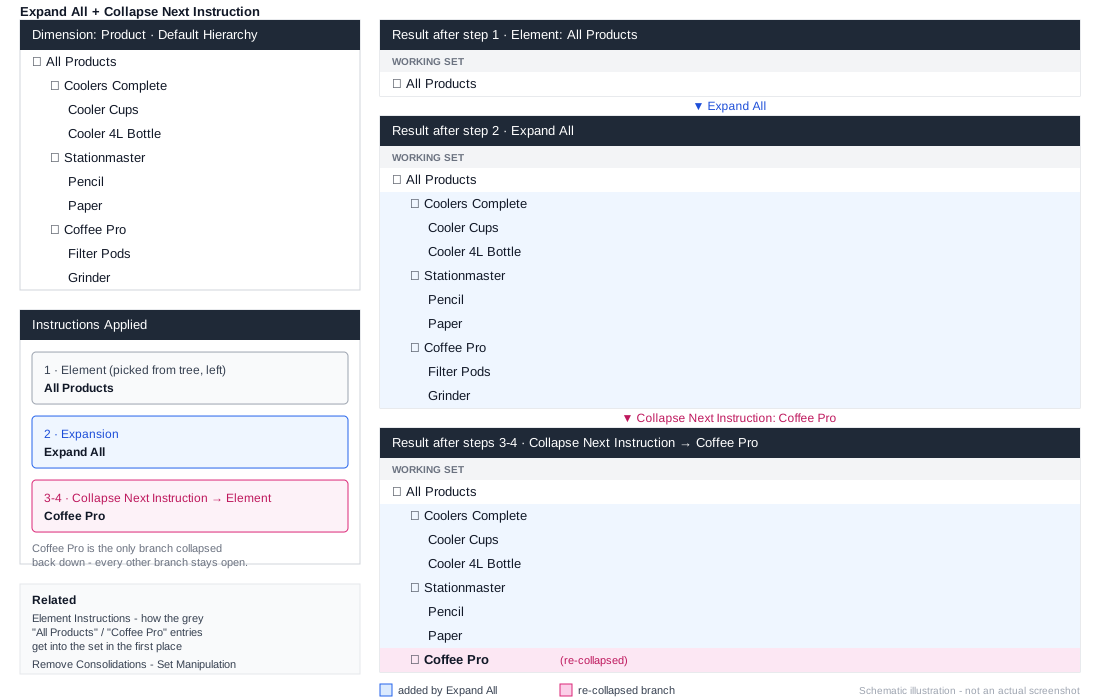
1. Element: All Products
2. Expand All
3. Collapse Next Instruction
4. Element: Coffee Pro
Steps 1-2 expand every product under every brand. Steps 3-4 then collapse just the Coffee Pro branch back down, leaving every other brand's products expanded.