
Reverse (Subtotals At The Bottom)
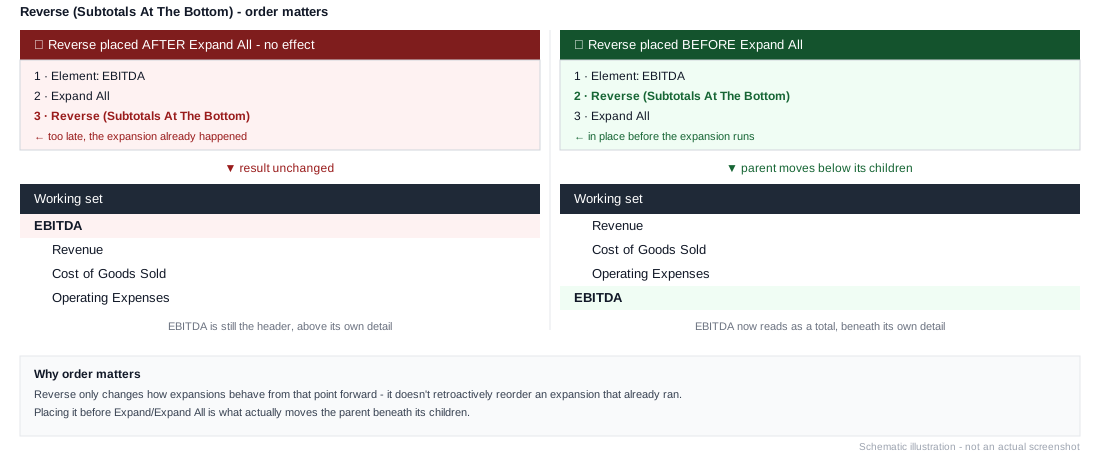
Changes how subsequent expansions behave: any Expand or Expand All that comes after this instruction places parent (consolidation) elements below their children instead of above them - the standard accounting layout, where a subtotal sits under its detail rather than as a header above it.
Only affects expansions that come after it
Reverse doesn't retroactively reorder an expansion that already happened. It has to sit before the Expand/Expand All it's meant to affect - putting it after in the stack has no effect, since the expansion already ran in the default (parent-above-children) order.
Example
1. Element: All Departments
2. Reset Indents
3. Reverse (Subtotals At The Bottom)
4. Expand All
Produces every department's descendants first, with All Departments itself appearing at the very bottom as a grand total row - compatible with Enable Drill Down. See Common Patterns for the full descendants-with-total-at-bottom pattern.