Expand Next Instruction / Expand Using The Next Instruction
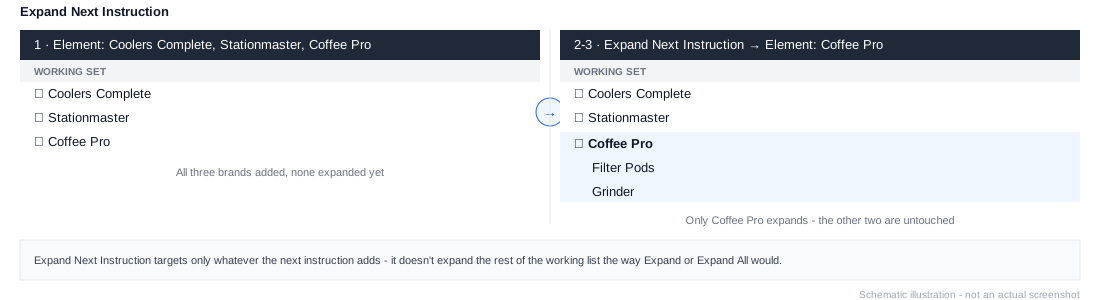
A modifier instruction - it doesn't add elements itself. Instead, it expands whichever element(s) the next instruction in the stack adds, leaving everything already in the working list untouched.
This is useful when you want one specific element expanded but don't want Expand or Expand All to apply to the whole working list built up so far.
Example
1. Element: Coolers Complete, Stationmaster, Coffee Pro
2. Expand Next Instruction
3. Element: Coffee Pro
Steps 1 leaves all three brands unexpanded. Steps 2-3 then expand just Coffee Pro back into its children, without touching Coolers Complete or Stationmaster.