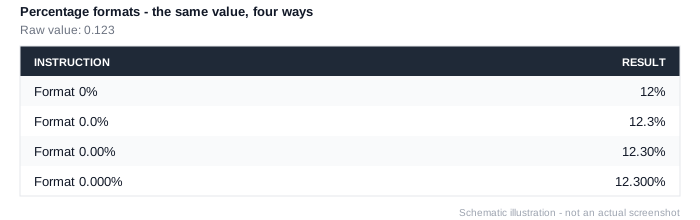
Format 0%
Workview-only. Applies a whole-number percentage format to every data cell associated with the working list - 0.12 displays as 12%.
Like every Format instruction, it applies to the entire working list built up so far, not just the element it's attached to. If a set mixes measures needing different formats, place Ignore New Formatting On Prior Members between them so a later format doesn't override an earlier one.
See Data Formatting for the full list of number formats.