Group By Value Using The Next Instruction (Descending)
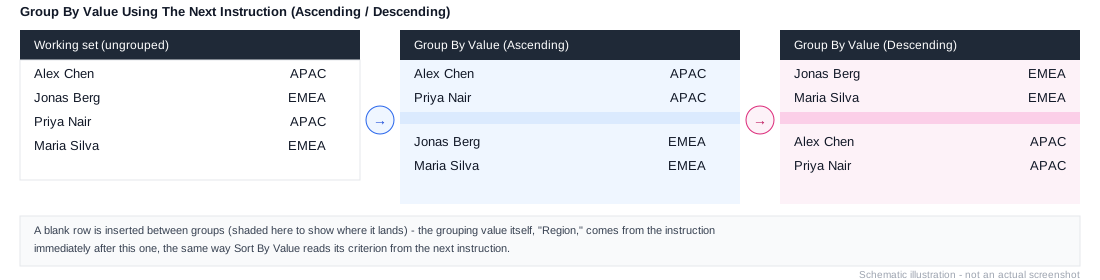
Workview-only. Column axis only. The descending equivalent of Group By Value Using The Next Instruction (Ascending) - groups the working list by the value the next instruction produces, inserting a blank row between each group, ordered descending by that value.
Example
1. Element: All Sales Reps
2. Expand All
3. Remove Consolidations
4. Group By Value Using The Next Instruction (Descending)
5. Insert Using Formula: LINK("Sales Reps", ["Region"])
Groups every sales rep by Region, highest-value region first, with a blank row separating each group.