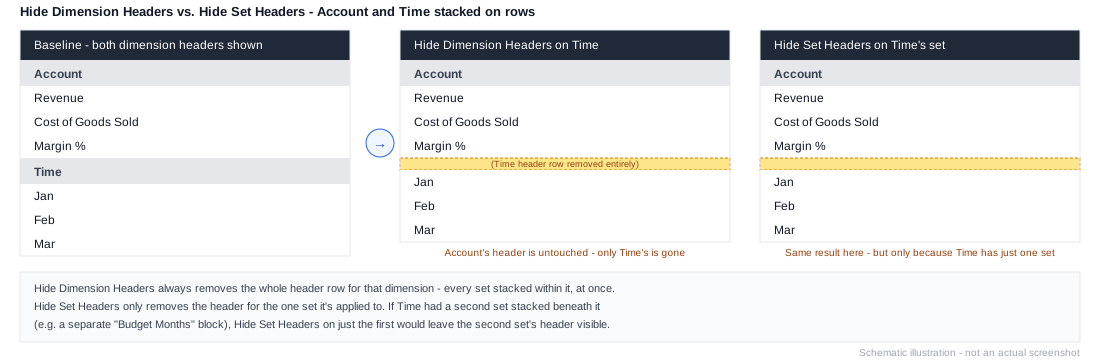
Hide Dimension Headers
Workview-only. Hides the headers for the whole dimension on this axis, including any other sets stacked alongside it. Broader than Hide Set Headers, which only hides the current set's own headers.
Most commonly paired with Apply New Header Labels Using Formula - once a custom header is being generated by formula, the original dimension headers just duplicate it and should be hidden.
Example
1. Element: All Products
2. Apply New Header Labels Using Formula: ELEMENT("Product") & " (" & ELEMENT("Location") & ")"
3. Hide Dimension Headers
Without step 3, the Workview would show both the original Product header and the custom combined label above it.