Sort By Value Using The Next Instruction (Ascending)
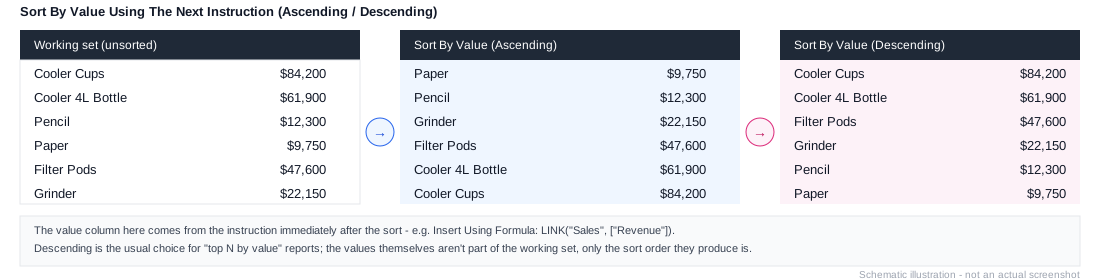
Workview-only. Column axis only. Sorts the working list (on the row axis) by the value of a measure or formula specified in the next instruction, lowest to highest.
Needs a value provider immediately after it
This instruction reads its sort criterion from the very next instruction in the stack - it doesn't carry one itself. If that instruction doesn't produce a value (a name-based sort, for example), the sort won't behave as expected.
Example
1. Element: All Products
2. Expand All
3. Remove Consolidations
4. Sort By Value Using The Next Instruction (Ascending)
5. Insert Using Formula: LINK("Sales", ["Revenue"])
Step 5 isn't a separate addition to the set - it's the value step 4 sorts by, ranking every product from lowest to highest Revenue. See Sort By Value Using The Next Instruction (Descending) for the more common "top N" direction, and Common Patterns for the full pattern.