Format Items Using The Next Instruction
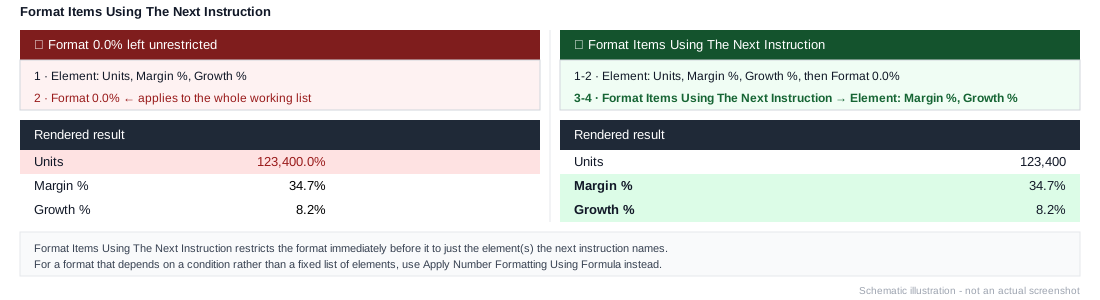
A modifier instruction. A Format instruction normally applies to the entire working list built up so far - this one restricts the format that comes immediately before it to just whichever element(s) the next instruction specifies, instead of everything.
Example
1. Element: Units, Margin %, Growth %
2. Format 0.0%
3. Format Items Using The Next Instruction
4. Element: Margin %, Growth %
Without steps 3-4, Format 0.0% would apply to the whole working list, including Units. With them, only Margin % and Growth % - the two elements that should actually be percentages - get the 0.0% format; Units is left alone.
For a format that varies by condition rather than a fixed list of named elements, use Apply Number Formatting Using Formula instead.